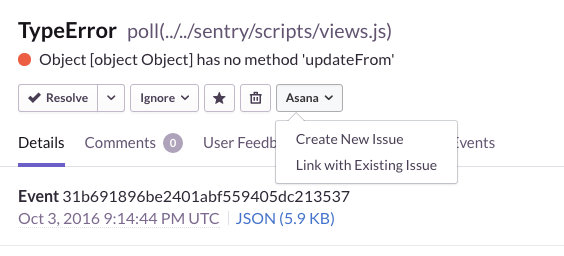
Sentry integrates with many of your favorite issue trackers, and we’re excited to add Asana to the list.
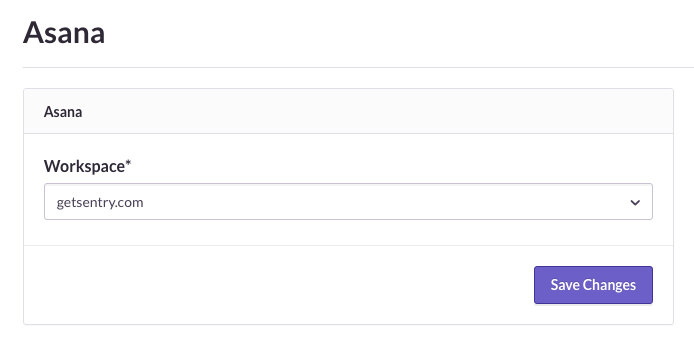
You can enable the integration by going to your project’s settings page, clicking on “All Integrations” in the nav bar, and clicking on “Configure plugin” next to Asana. From there, you can link your Asana account and select an organization or workspace.
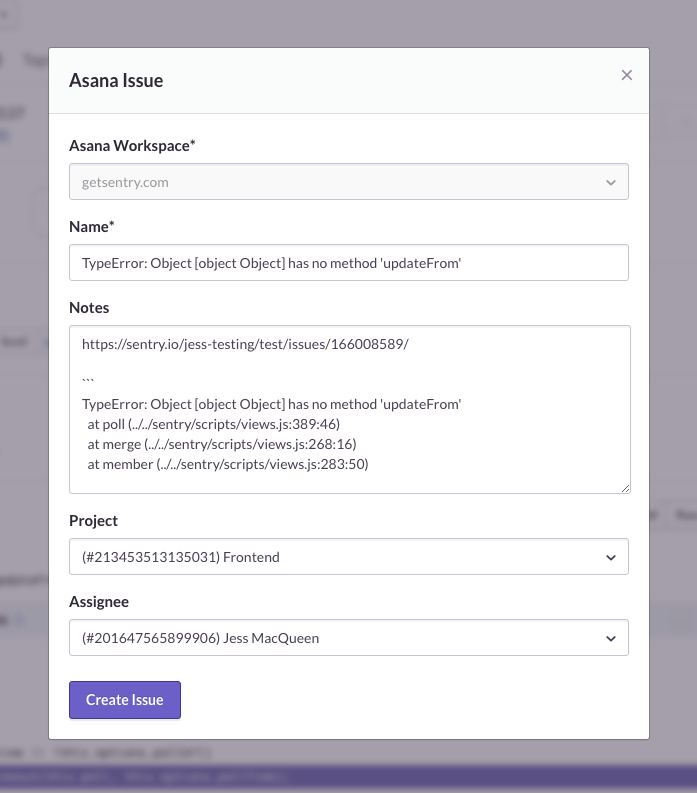
Once you’ve configured the integration, you can easily create Asana tasks from your Sentry issues.
If you have questions, feedback or feature requests for Asana or any of our integrations, let us know in our forum.
Sentry has integrations with all your favorite apps and services so you can get more use from your error tracking workflows.
Five Agent Tracing recipes from the Sentry Cookbook, from production evals and daily error triage to LLM cost tracking, spend alerts, and OpenTelemetry.
Sentry's Flutter SDK 10.0 makes streaming traces the default, fixes crash-free rate accuracy for unhandled errors, and adds dedicated app startup traces on Android and iOS.
The OpenTelemetry instrumentation packages needed a Node module loader, a package.json file, and a mutable exports object. v11 replaces all of that with a source transform and diagnostics channels, so tracing now works on Cloudflare Workers, Bun, Deno, and bundled server deployments.