At Sentry, we’re obsessed with things not breaking. It’s kind of our whole deal. But for a while, our own marketing site was testing that obsession.
Much of what you see on sentry.io (the marketing site, blog, open source microsite, etc.) were running on a fleet of legacy Gatsby sites powered by a traditional headless CMS. On paper, it worked. In practice, we were juggling a fragile web of plugins, restrictive schemas, and external API dependencies that loved to fail right when we needed to ship.
So, we did what any sane engineering team would do: we ripped it out and replaced it with Astro, Markdown, and AI-driven automation.
The problem: the “headless” headache
Our old stack was starting to feel like a Rube Goldberg machine.
The build bottleneck: Gatsby’s consolidated data layer was convenient, but as our content grew, our build times ballooned to ~14 minutes/build. At an average of 95 builds/day, this ended up being around 22 build hours used daily.
The CMS tax: We managed the content of ~2500 pages in a single CMS instance. We have different page schemas and connected component schemas without the ability to have conditional fields, so we ended up buying a conditional fields plugin to avoid hitting the schema limit. This made for an additional annual subscription on top of our monthly subscription, and scalability was still limited.
External fragility: Every build relied on external CMS and marketing automation system APIs via Gatsby plugins. During the last month before we started the rebuild, an issue with the CMS’s Gatsby plugin would fail 3-5 times a day (to which there was no resolution, even after submitting a support ticket) and the marketing automation API would also fail multiple times a day due to rate limits (more on that below).
The solution: Astro and the power of “just files”
We migrated the framework to Astro. We chose it because it’s built for the modern web — fast by default and incredibly flexible.
Vite-powered speed: Moving to Vite meant our local development and production builds finally felt like they belonged in 2026. We reduced our build times from ~14 minutes to less than 4 minutes, resulting in a savings of ~15.8 build hours daily.
Framework agnostic: Astro lets us use the best tool for the job. If a component works better in React, we use React. If it’s a simple static partial, it’s just HTML/CSS.
Vercel for the heavy lifting: We offloaded image processing to Vercel, ensuring our assets are optimized without dragging down the build process.
But the biggest shift wasn’t the framework — it was how we handled content. We ditched the headless CMS UI for Markdown and Frontmatter.
AI-native content management (without the SaaS bloat)
Instead of paying for an “AI Add-on” from a CMS provider, we built a direct integration with Claude Skills.
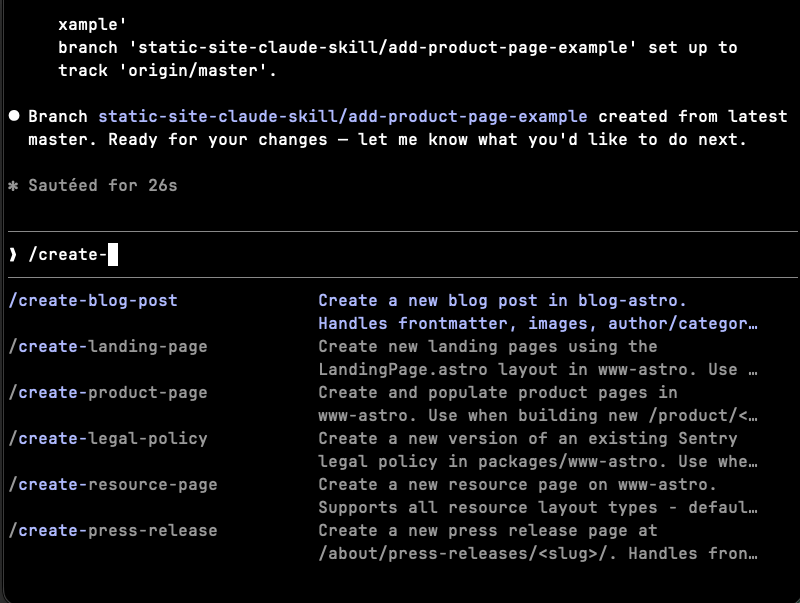
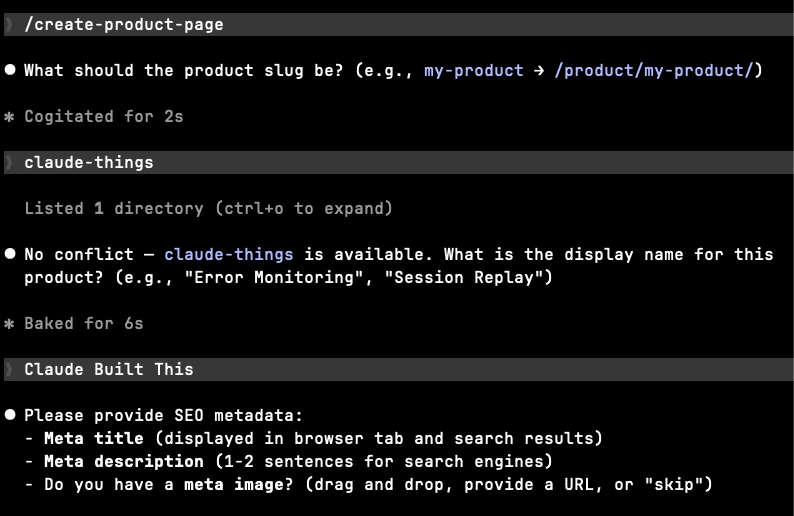
Now, when someone needs to update the site, they don’t log into a bloated dashboard. They use a skill-driven workflow that:
Guides the user through a process that precisely updates the Markdown files and Frontmatter directly.
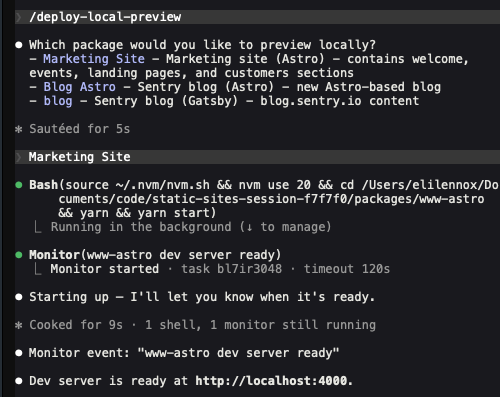
Generates a live preview.
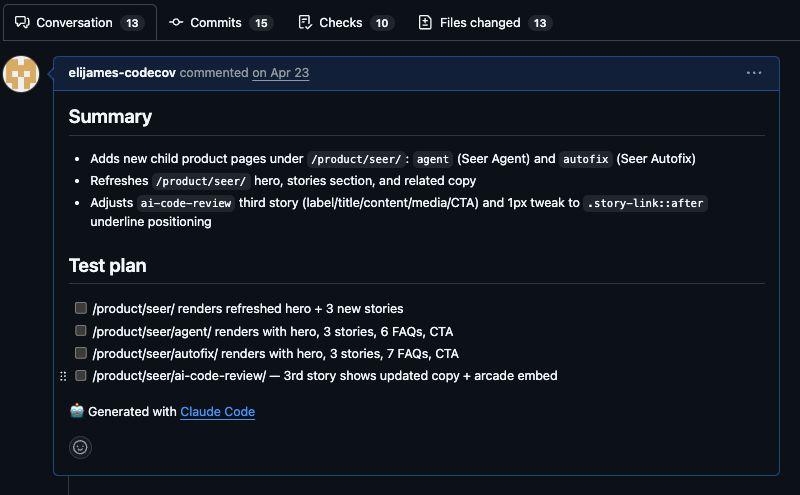
Drafts a Pull Request for review.
Why go custom instead of using a CMS-integrated AI?
Zero dependencies: Content lives in the repo. No API outages mean no failed builds.
Unlimited schemas: With Frontmatter, we define the structure. If we need a new field or schema type, we just add it. No subscription tiers, no restrictions.
The “Sentry” way: For a company with a developer-first culture that values the deeply technical, managing content as code feels right. It’s version-controlled, peer-reviewed, and lives right next to the components that render it.
The process: how we did it
Moving a site with ~2500 pages between our marketing site and blog is a massive undertaking. We had a team of 2.5 developers and a two-month window to get it done.
Because of the small team size and large site volume, we relied on Claude Code for much of the coding. Our developers spent the bulk of their time on planning, scoping, and developing requirements, then reviewing the code, directing changes, and fine-tuning the output.
Scoping
This was easier for this project for 2 reasons:
We use a monorepo for these websites so the bots had the full context of what was being built and migrated
We did not implement any net-new design
Since we’ve been working in the existing codebase for over a few years, we had some ideas of where we could easily remove code bloat. We took a deeper look at the pages in certain directories to validate, and based on the content, eliminate bespoke pages with templates. As a result, we consolidated ~200 pages into 3 templates, making the site DRY and significantly easier to maintain.
Building with bots
We started with the data. Since our headless CMS was plugged into our Gatsby site and pre-existing parts of the Astro site, and our headless CMS provided JSON files of each schema available, we provided the planning agent with existing CMS schema and had it duplicated in Frontmatter. Since we were already connected to the CMS’s API, we had an agent swarm pull down the data, map it to Frontmatter files, and pull down the images and save them locally as either an asset (for all non-meta image images needing image optimization) or in the public directory for SEO images.
Once the data was in place, we provided plan agents with the location of the existing template files in Gatsby, directions on where to place it in the new framework, what data it was using, and asked the agent to interview us on any missing information. From there, the planning agent would pass along the build tests to general purpose agents for the build, which was passed on to general purpose agents for testing.
After that round, our team would review & fix any regressions, which was followed with AI PR reviews using both Sentry’s Seer AI code review tool and Cursor’s Bugbot (along with other quality checks built into the repo, including secret scanning and our standard automated tests).
Testing with bots
As part of our development process, we experimented with Claude running visual regression tests with Playwright and a homegrown MCP we built to compare visual elements from our Gatsby site to the new Astro replacement.
The DOM-inspector MCP
Big shoutout to Dylan Coots on our team who built a DOM Inspector MCP that uses Puppeteer (headless Chrome) to connect to a locally running dev server and programmatically inspect, measure, and interact with elements on the page. It was designed to find UI layout issues like spacing shifts, element dimensions, and computed styles that can be passed along to a bot to fix.
Core Architecture
DOMInspector class — the central object that owns the Puppeteer browser/page lifecycle. It has two modes: a fully-owned browser (launched by the class) and a session-managed mode where an external page is passed in via the static fromPage() factory method.
Browser management — launches a headless Chrome instance with memory-constrained flags (--max-old-space-size=256, limited renderer processes) and handles graceful shutdown with a 5-second timeout before force-killing the process by PID if needed.
DOM inspection methods — includes inspectElement() (dimensions + computed CSS), measureDistance() (pixel/rem gap between two elements including which CSS property creates it), measureLayoutShift() (reloads the page and diffs element positions before/after a transition), and debugPage() (scans the DOM for common component patterns when a selector isn’t found).
Interaction & navigation — interactWithElement() clicks a selector and measures before/after state; navigateToUrl() navigates to a new URL and clears stale console logs; setViewport() supports named presets (mobile/tablet/desktop/large) or any custom pixel width with auto-calculated height.
Utility methods — screenshot() (full page or scoped to a selector, returned as base64), evaluateJs() (runs arbitrary async JS in the page context), waitForSelector(), getPageContent() (text/HTML/outerHTML with truncation safety), and getConsoleLogs() (buffered, capped at 500 entries).
CLI entrypoint — main() only runs when the file is executed directly (not require()’d), accepts --url and --port flags, and runs a quick inspection of a hardcoded component (.WhoSentYouWrapper) as a smoke test.
extractUrlFromText() — a helper exported alongside the class for parsing localhost URLs out of natural-language strings, suggesting this is meant to be called from an MCP server that receives user text prompts.
What worked for us
The Playwright visual regression tests and the DOM Inspector MCP worked best together. Our visual testing workflow started with Playwright tests for each template to identify visual regressions. The results would be passed to another agent and fixes made. We followed it with the DOM Inspector MCP to fine tune elements that weren’t fixed after the Playwright test fixes. We found the DOM Inspector to be more accurate with smaller, element-based inspections. Even then it wasn’t 100%, but it did save us time on fixing tedious styling issues.
Updating content (also with bots)
Since updating content hurts in the CMS, we wanted to make it easy to update content without needing deep technical knowledge of Frontmatter or code in general, so we made some Claude skills for it.
Skills for the command line
For non-developers, understanding git operations (or even being in the terminal) can be intimidating. But, we saw the value of using a PR-based workflow for quality and consistency. So, we made some utility skills to help with this:
/new-branch — this would pull down the main branch on origin to prevent any avoidable merge conflicts, add a prefix to the branch name to know it came from a skill, and avoid any cruft from past branch checkouts from being included in the new PR.
/deploy-local-preview — since starting up a local dev server to preview your work takes a few lines in the terminal, we created a skill that does this for users. The skill will navigate to the site selected, spin up a dev server, and deploy a local preview.
Skills to update content
For each of our page types, we built skills that will create a Frontmatter file, ask the user for each field, upload images (with image size checks), call /deploy-local-preview to check the work, and use the Github CLI to create a pull request. This provides guardrails to make sure all the required information is given, reduces navigating a cumbersome CMS UI, prevents massive image files from being used (we added a polite reminder to compress to under 250kb and won’t accept the larger file) and keeps page updates strictly to focus on content, not code.
Things to consider
Since we’ve built out skills with AI to update the content, there are a few things to keep in mind:
Compute is expensive. You don’t need Opus to deploy a local preview when Haiku will do the job. We set default models on certain skills to make sure the model is right for the task. We also set the default model in the repo to Opus 4.6 to save on usage.
Use skills to catch large image files and other common things that will slow down performance. We added filesize limits to our page skills to prevent massive images from getting uploaded to our codebase and slowing down the build and site performance.
Protect sensitive parts of the site with Hooks. Since the models have access to the whole codebase and there are sensitive items you don’t want changed, don’t allow AI to change them. For example, we protected our Content Security Policy with a PreToolUse hook that prevents any changes to our CSP.
Fixing the “rate limit problem”
While we were under the hood, we tackled another recurring nightmare: API rate limits for our forms.
Our forms relied on fetching fields from our marketing automation system during the build. If we hit a rate limit, the build broke. To fix this, we built a service using Vercel Blob. We now fetch and store form fields in a fast, reliable blob store at the start of the build.
This reduced our marketing automation system API calls to nearly zero during the critical build phase, removing yet another point of failure.
The results: reliability as a feature
The shift from a heavy, API-dependent CMS to a lean, file-based Astro site has been a game-changer for our productivity.
Metric
Before (Gatsby + CMS)
After (Astro + Claude)
Average Build Time
14 Minutes
< 4 Minutes
Web Vitals Score
89
97
Broken Staging Builds
Frequent (API/Plugin issues)
95% Reduction
Content Schema Limits
Restricted by Plan
Unlimited
Vibe Check
Frustrating
High-Five Worthy
By moving our content into the codebase and using Claude to bridge the gap for non-technical users, we didn’t just speed up our site — we made our entire deployment pipeline more resilient.
Because at the end of the day, the best way to fix a broken build is to remove the things that break it in the first place.
Logs and metrics look nearly identical when you're instrumenting code. Using a signup handler as the example, here's how to tell which question each one answers, and when you can just count the logs.
Over 40 changes between 8.43.0 and 8.54.0 cut SentryAndroid.init time by 20-30%, reduced memory allocation, fixed memory leaks, and lowered background CPU time.
We moved Android SDK operations to a worker isolate, then streamlined scope updates by removing duplicate normalization and encoding JSON directly into UTF-8 bytes.