Monitor and reduce your mobile app size with Size Analysis (beta)
Monitor and reduce your mobile app size with Size Analysis (beta)



Note: This blog post was originally published for the Early Access of Size Analysis. if you're already familiar with Size Analysis in Sentry, go to the section titled What's new in the beta. If you're not familiar with Size Analysis, start at the section titled The curious case of man.jpg.
What's new in the beta
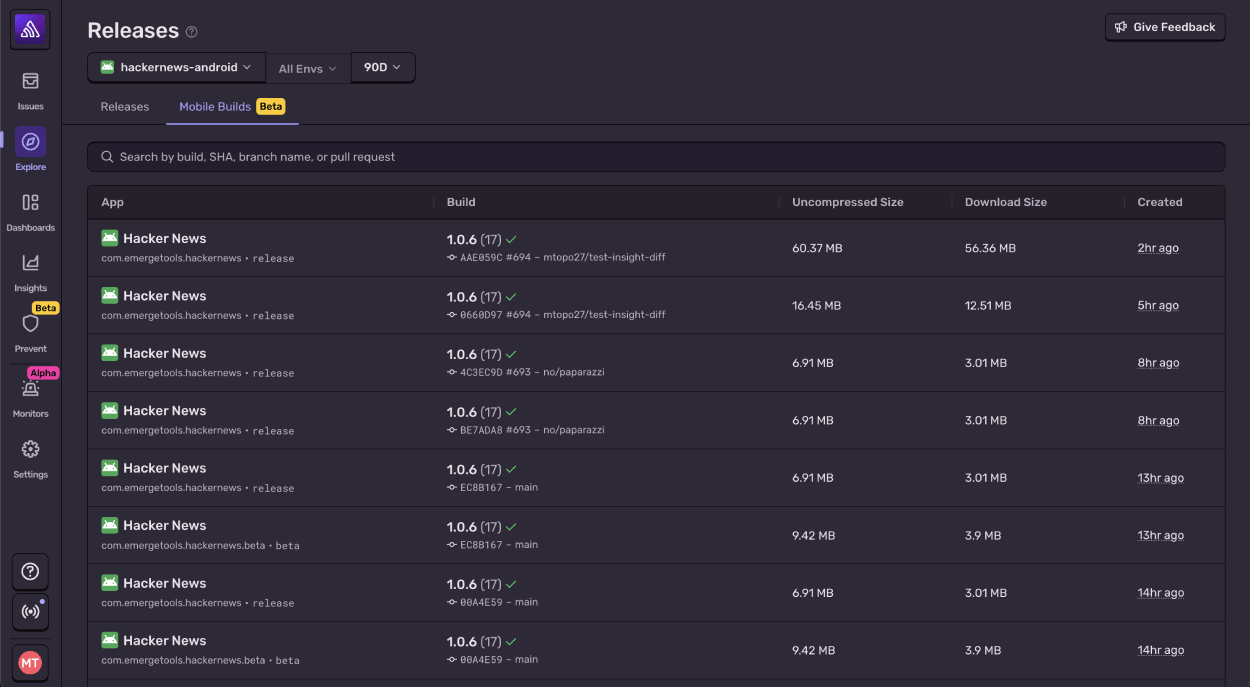
Mobile Builds tab in Releases
You can now see all of your uploaded builds on the Releases page when you have one or more mobile projects selected.
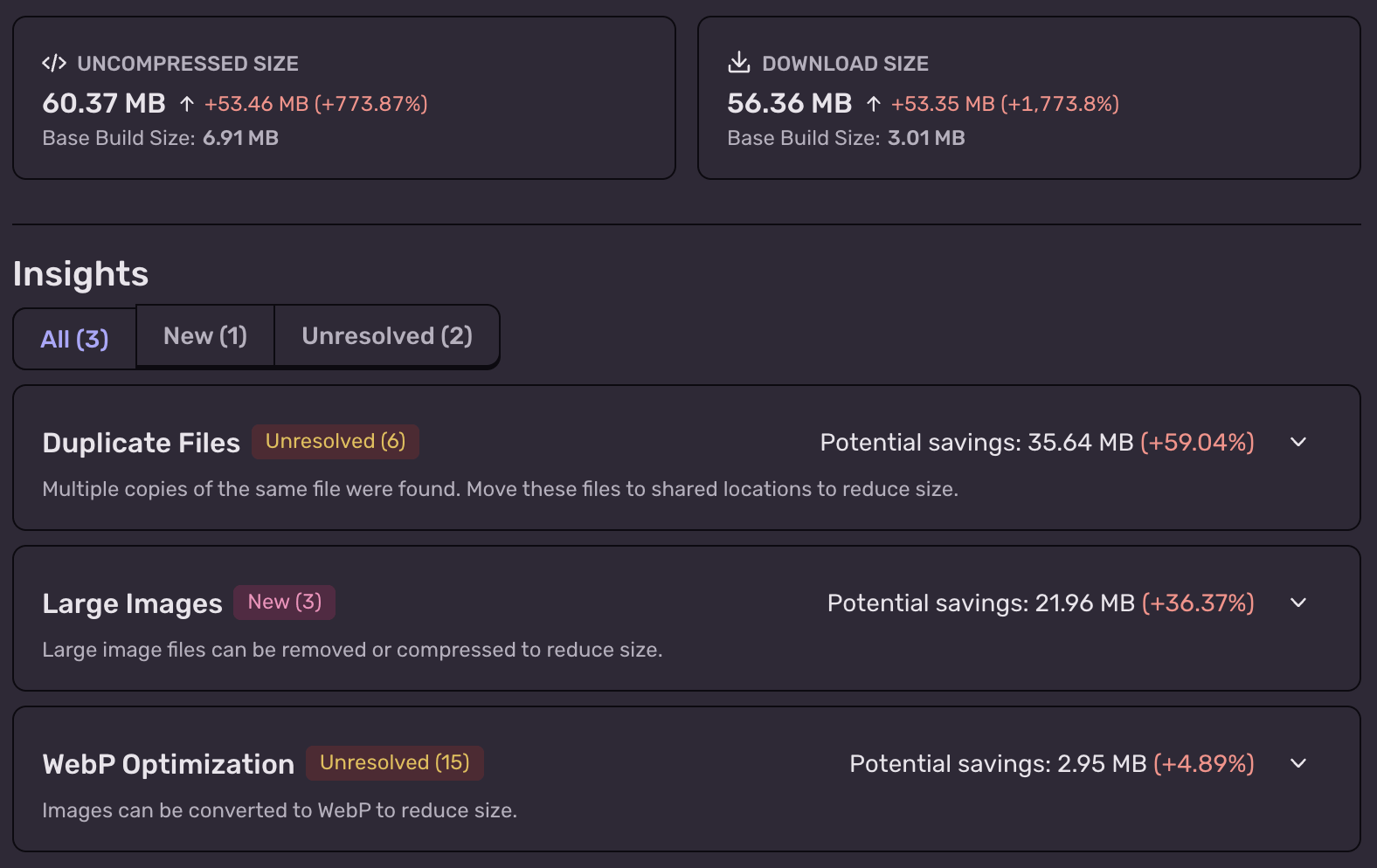
Insight Diff
The Insight Diff will flag any changes in Sentry's Size Analysis Insights. This means you can easily see if you're introducing something like new duplicate files or an image that can be compressed.
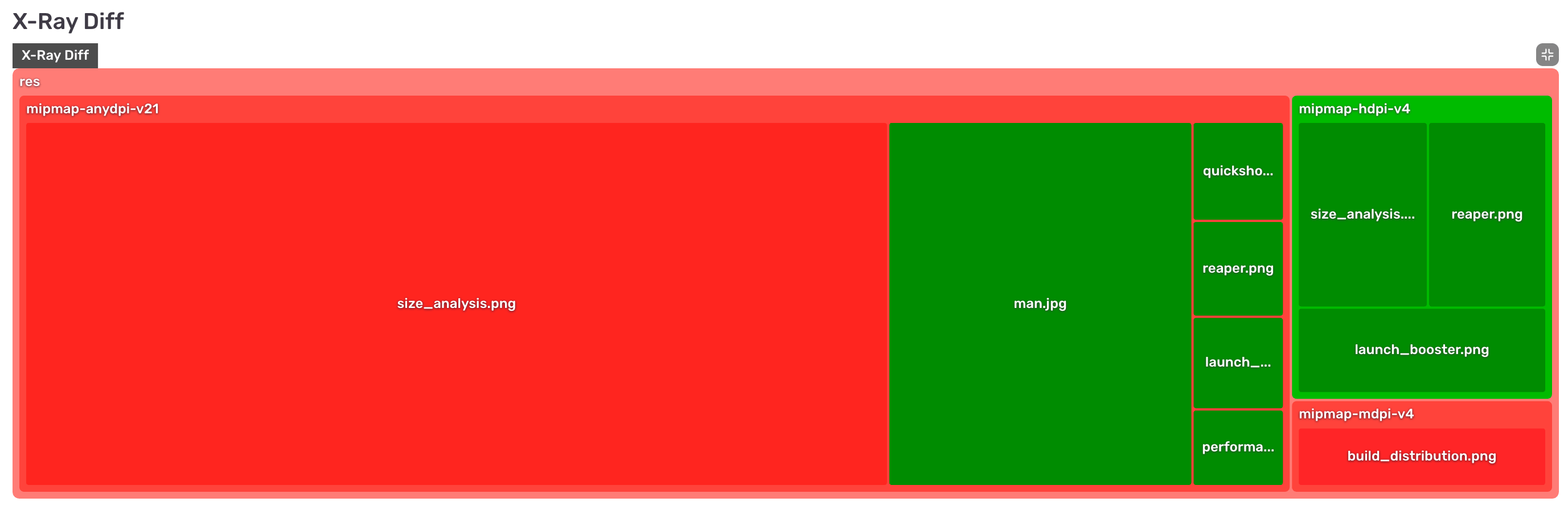
X-ray Diff
The X-Ray Diff shows a visual representation of the file changes between two builds, showing anything that is added, removed, or modified. This helps you see where a size change is coming from at a glance and can be helpful to determine the impact of a new feature, SDK, or refactor.
Quick Diffs from Build Details
If you're uploading as part of CI, the Build Details page now shows the size diff vs. base and lets you easily hop into a more detailed comparison.
We're going to continue to build new functionality into Size Analysis as we approach GA, so stay tuned. You can read the original blog post below:
The curious case of man.jpg
This is man.jpg.

And for some reason, this used to be in the Toyota iOS app at a non-negligible 14.6 MB. Conveniently, man.jpg was removed several months after coming to light.
This post is not about whether or not man.jpg should’ve been in the app in the first place, or how much smaller (MB) man.jpg could’ve been.
This post is about how, starting today, app size issues are easy for every developer to catch and fix on Sentry using Size Analysis (+ how we can shave 30% off a popular open-source app 😉).
Introducing Size Analysis (Now in beta)
Size Analysis helps you monitor and reduce your mobile app’s size.
You might remember that Sentry acquired Emerge Tools. Size Analysis was Emerge’s first product, used by teams like Spotify, Square, and Tinder to ship the leanest app possible. Now anyone with a Sentry account can use the same tooling.
Using Size Analysis
Size Analysis works on any iOS or Android app, including if you’re using a cross-platform framework like React Native or Flutter. All you have to do is upload a mobile build.
You can integrate Size Analysis with CI to analyze app size every time you make a change, compare builds over time, and find opportunities to make the app smaller.
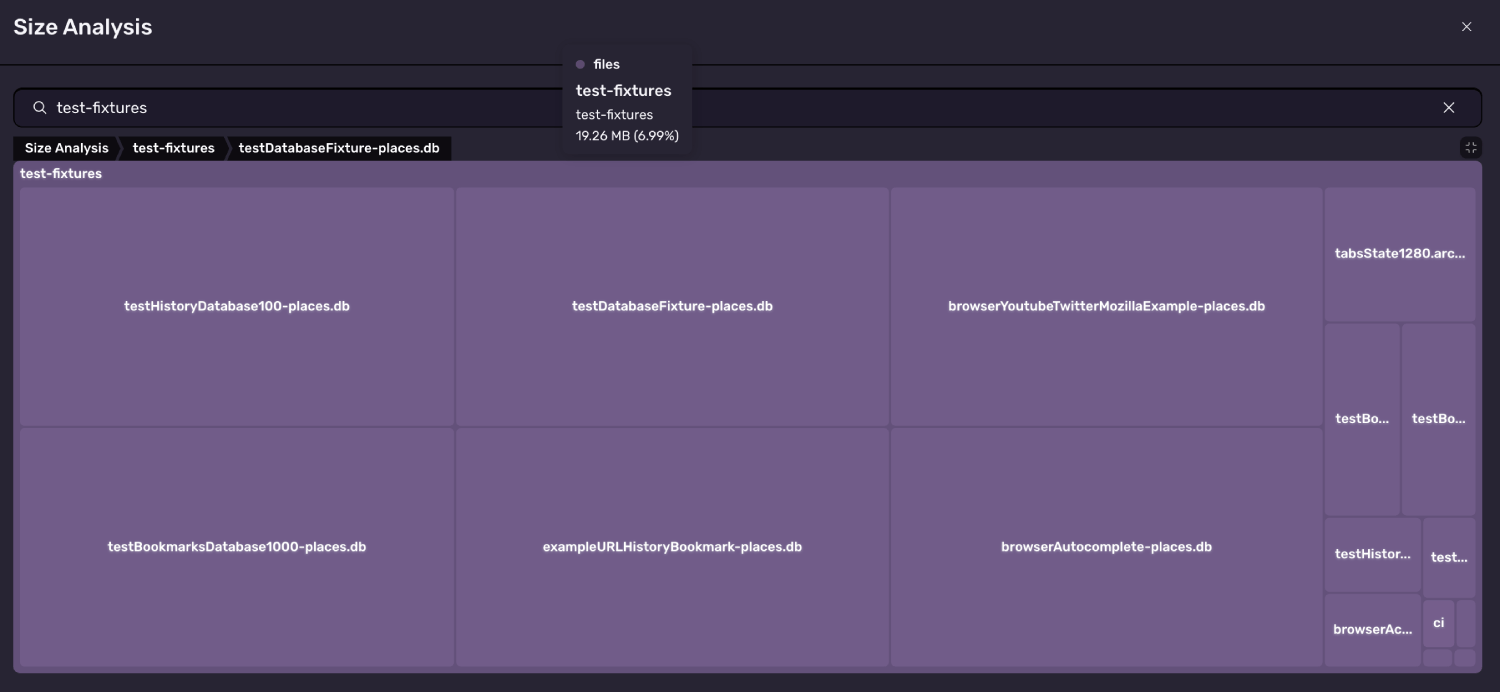
Let’s see what Size Analysis can do for the open-source Firefox iOS app. All we need to do is build the app and upload it to Sentry. Below is build analysis of v145.0. The treemap shows exactly where the app’s size is coming from:
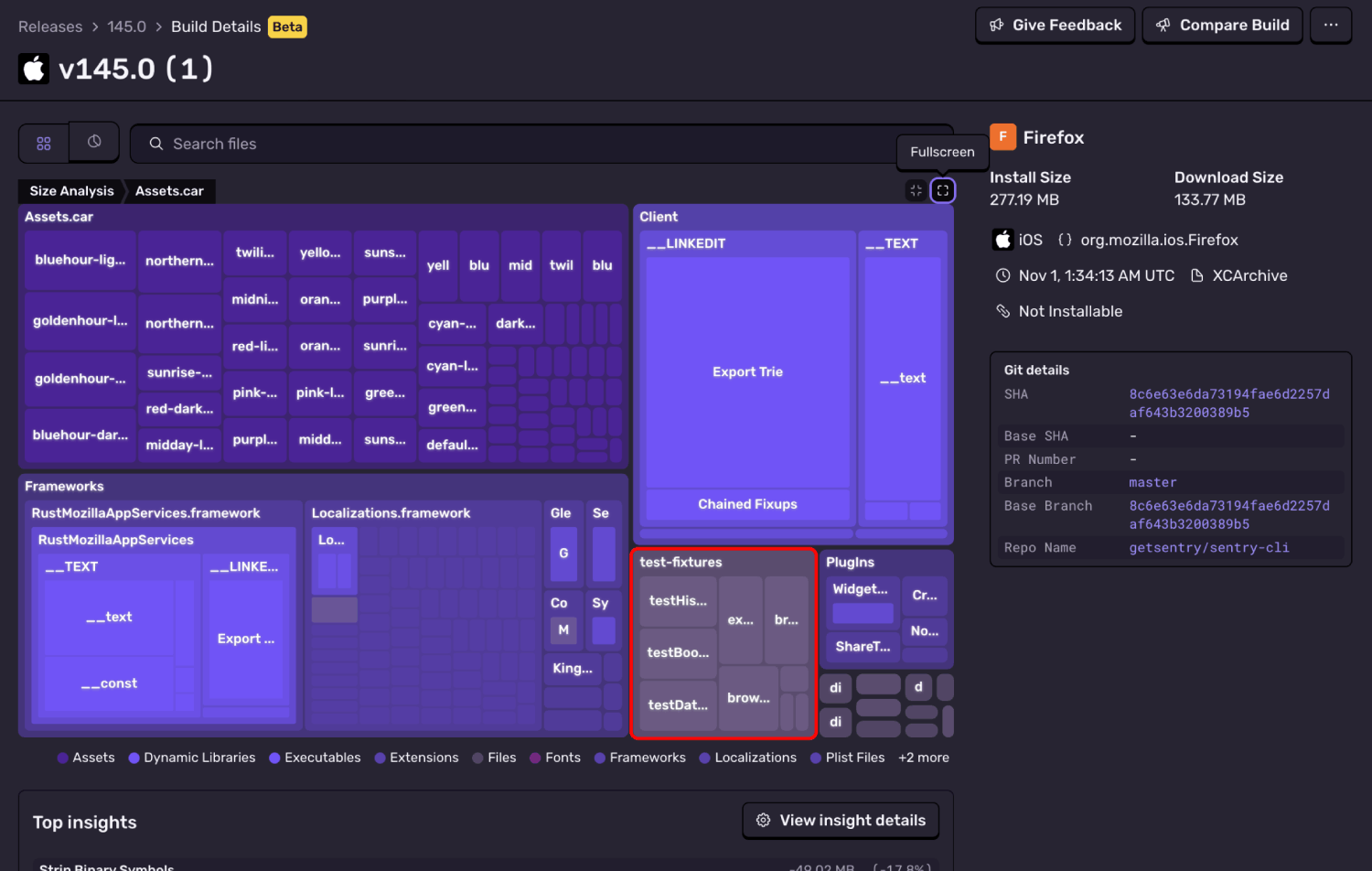
In the treemap, we can clearly see a test-fixtures node that doesn’t seem like it should be in prod. Unintended resources in prod happens way more than you’d think and the treemap provides an easy visualization to skim through what’s actually in your build.
Below the treemap, we have “Insights”, which will show you opportunities to reduce the app’s size.
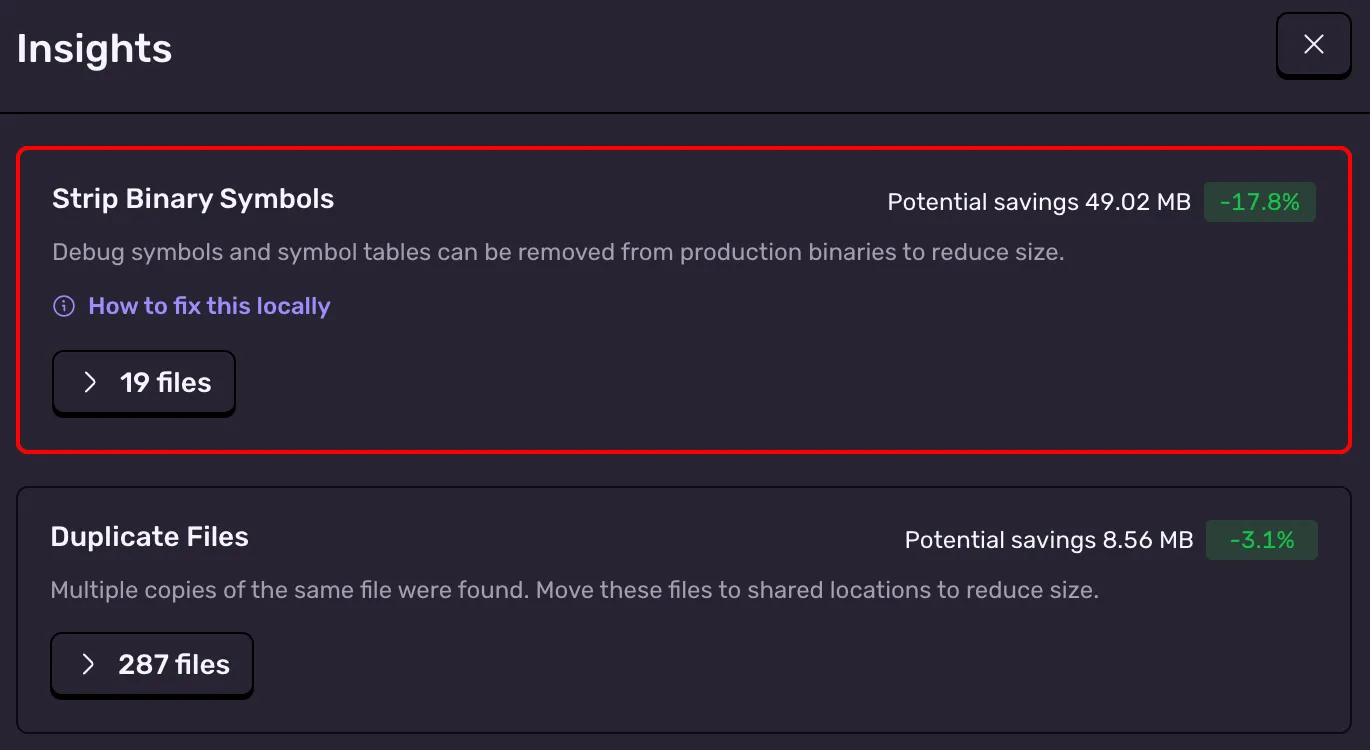
For the highlighted insight, we include a script for how you can apply the reduction (something Seer might be doing soon 👀). We’ve linked the docs below for a deeper explanation, but TL;DR:
Stripping Binary Symbols: These symbols are used to symbolicate stack traces like a crash report. If you’re uploading DSYMs to a crash reporter, you don’t need the symbols in prod
We can use the provided script as a basis to cut Firefox's size by ~50 MB.
In either of these cases, Size Analysis’ Build Comparison will show exactly what changed between two builds. Below is the diff between the build with and without test-fixtures.
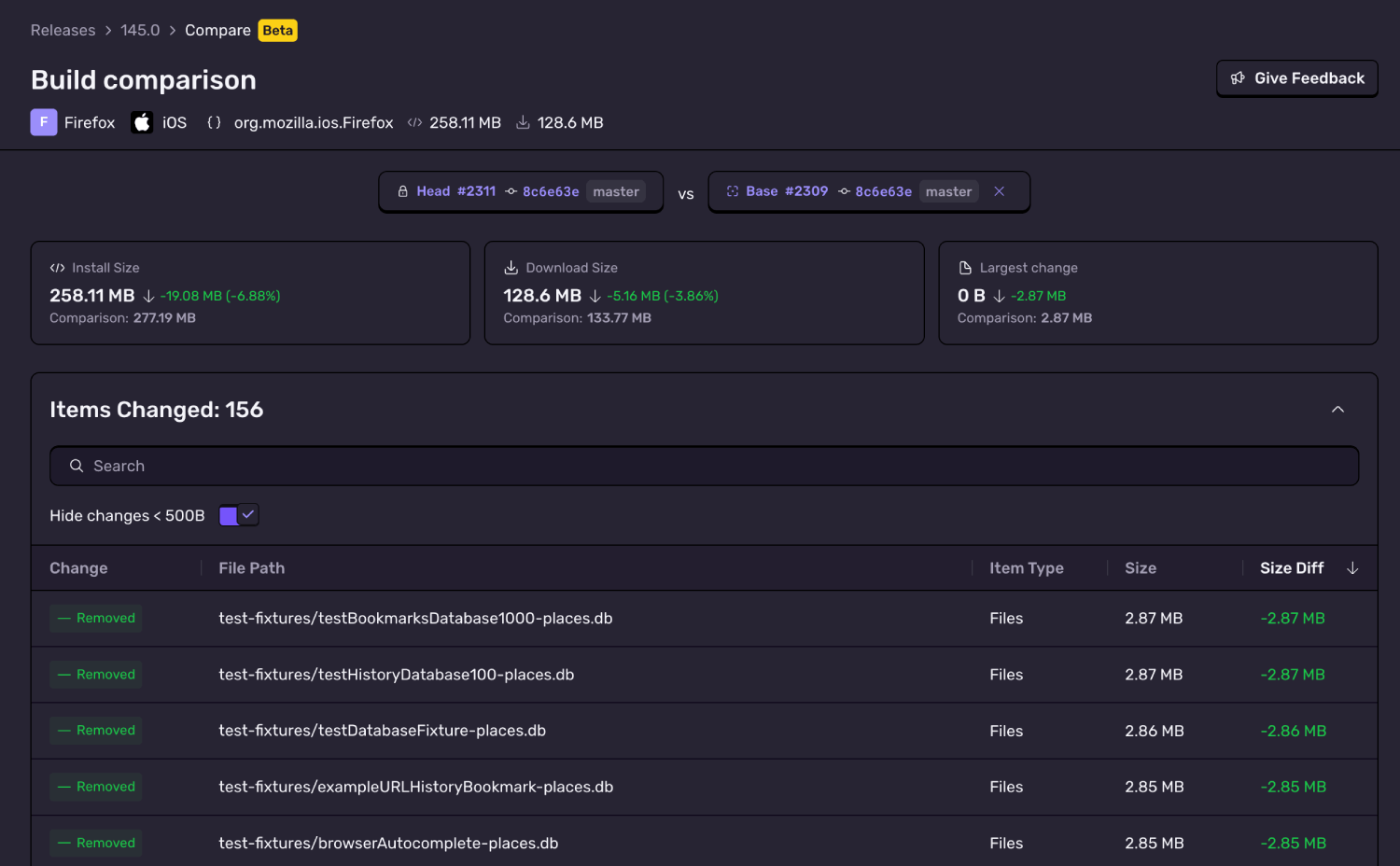
If you use Size Analysis in CI, these issues are likely caught at the PR-level, never reaching users. The easiest time to fix a regression is to catch it right when it’s introduced, which is why the CI checks are so critical.
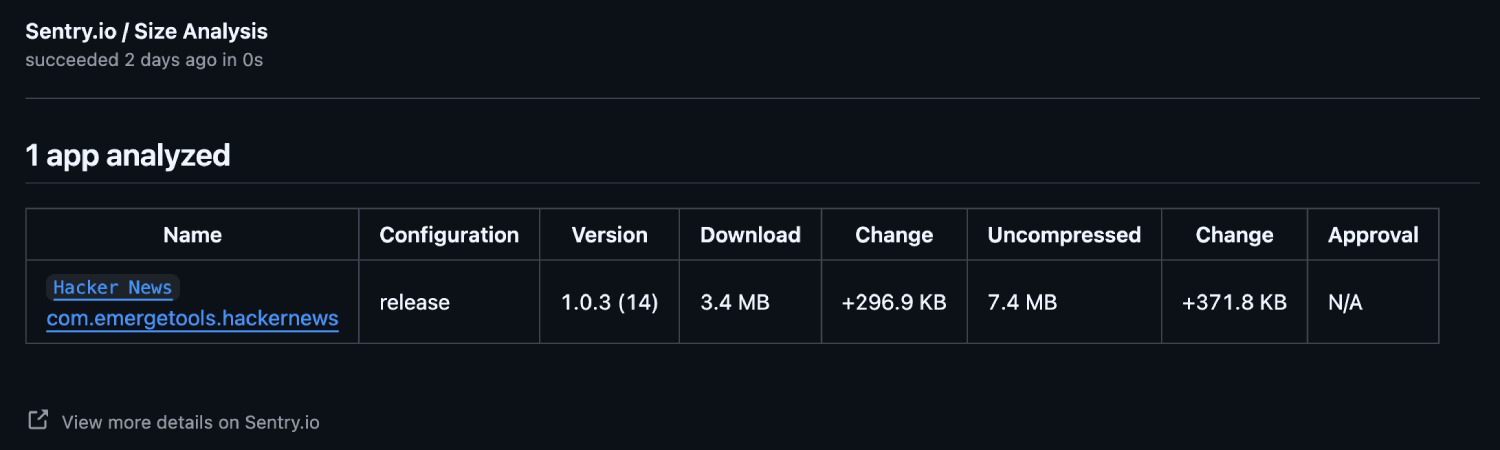
We posted PRs for the two Firefox issues (test-fixtures, debug symbols). In total, the 2 PRs combined to reduce the size of Firefox by 67 MB, close to 30% of total install size.
For some users, a 14.6 MB man.jpg might not matter, and maybe even 67 MB doesn’t. But for others, it does.
Maybe your app is frequently downloaded on the go when users don’t have connection to WiFi. If you’re above the cellular download limit, you, like Uber, will see a significant install drop-off. Maybe your app is distributed to users on older devices or in network-constrained conditions, where every byte counts.
Larger app sizes and bloat can reduce install rates and conversions, are a common reason for uninstalls, and can create downstream technical impacts.
To be clear, the above fixes are not a Firefox team issue, they are a tooling issue. If you’ve seen the Emerge Tools Twitter, you’ll know that many apps encounter these problems. Existing app size tooling is limited and it's easy to unknowingly introduce bloat.
Getting started with Size Analysis
Size Analysis is now in beta for Sentry users and we're excited to keep improving it! To start using Size Analysis:
Have a Sentry account (create an account for free here)
Aside from Size Analysis, we’ve already open-sourced two Emerge products:
Launch Booster - make your iOS app launch faster
Reaper - find dead code using runtime analysis
We have more exciting news coming on this front so stay tuned for updates and news about Size Analysis!