Size Analysis is generally available in Sentry
Size Analysis is generally available in Sentry


Sentry acquired Emerge Tools in May 2025 to bring best-in-class mobile tooling to dev teams. Today, we’re officially bringing Size Analysis - one of their flagship products - to all Sentry users, so you never have to worry about app size again.
Automated monitoring in your CI pipeline
The most common way app size grows is incrementally. Small changes add up over time and suddenly you’re getting warnings about being over the cellular download limit. Those small changes are easy to optimize as you make them, but try to address it a year later and suddenly it’s a more difficult task.
Size Analysis integrates into your CI workflow so you constantly have a pulse on your app size. Every build can be uploaded and diffed. Any time size changes, you won’t just see that it changed, you’ll see why it changed, and if there are any recommended fixes you can do to make it smaller.
Let’s look at a common scenario: adding an SDK.
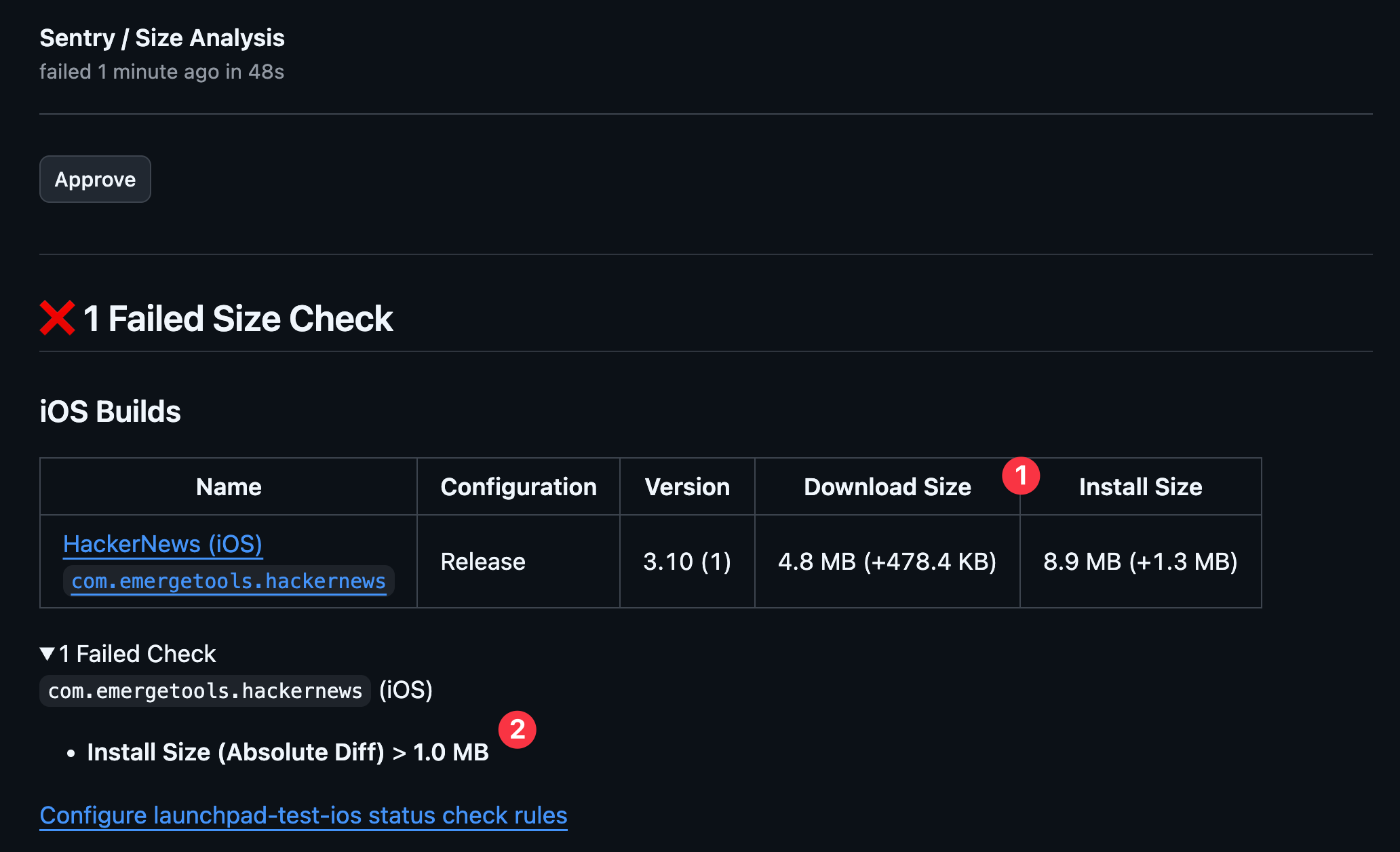
Here’s our status check for adding Kingfisher. With Size Analysis, we immediately see:
The PR is adding ~500 kB to download size and ~1.5 MB to install size
The PR failed because we had a preconfigured threshold to fail any check where Install Size diff is more than 1 MB
We can double check our “Comparison Page” to confirm the diff is as expected and then approve the PR. From this page we are able to see the overall size change as well as both a tabular and visual view of every file that changed size.
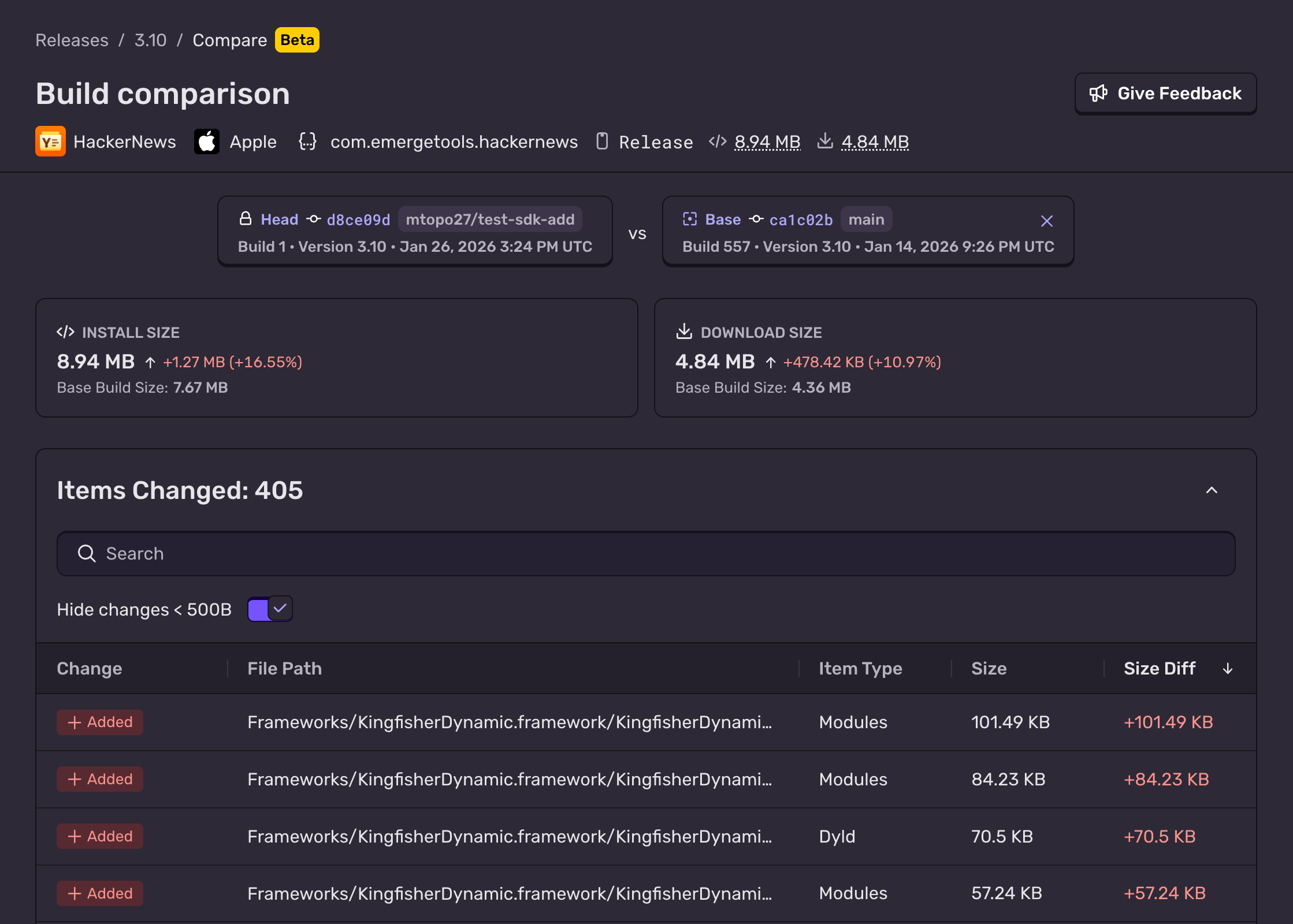
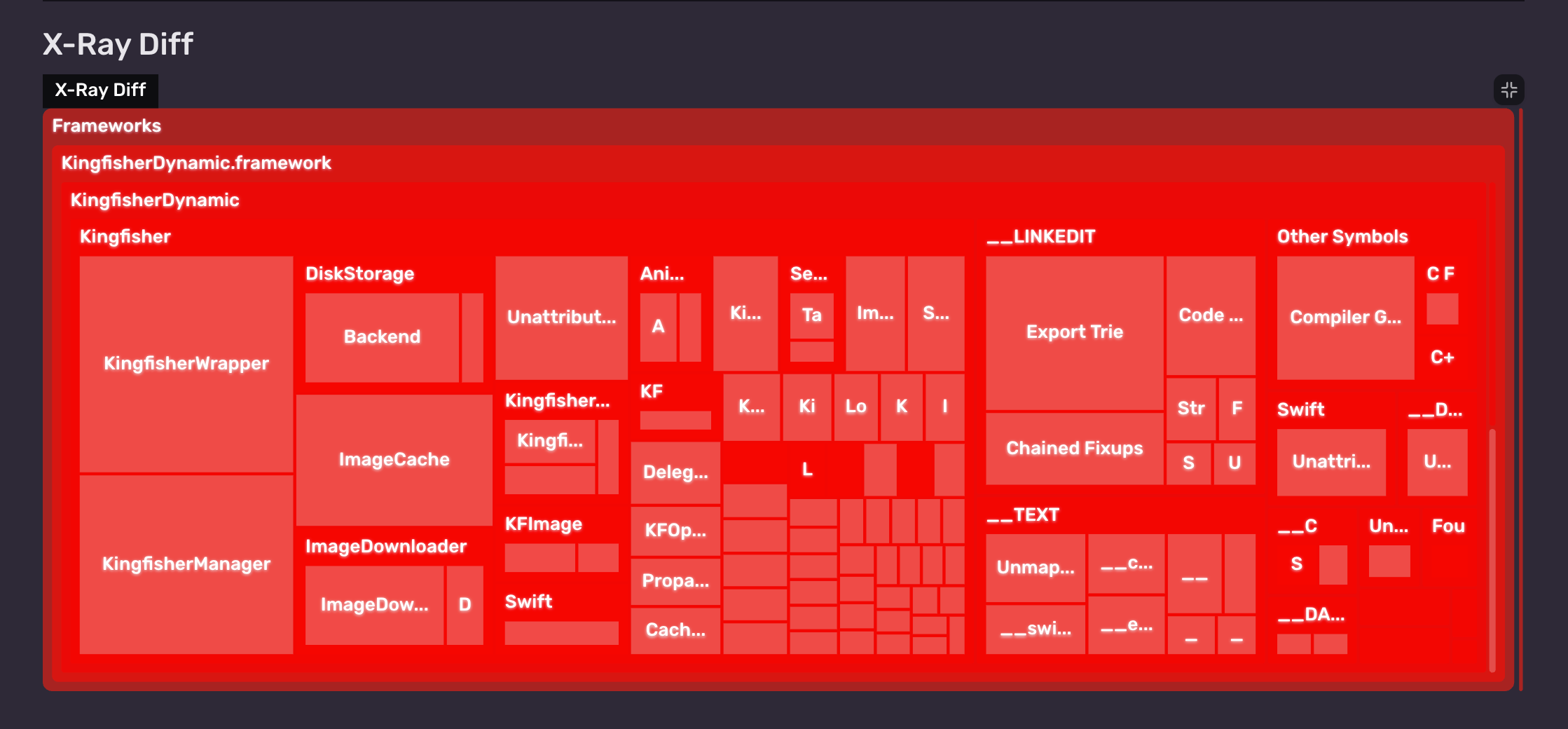
In this case, it’s clear this is the intended diff so we can approve our status check and merge the PR 🎉.
Let’s look at another scenario: adding a new hero image.
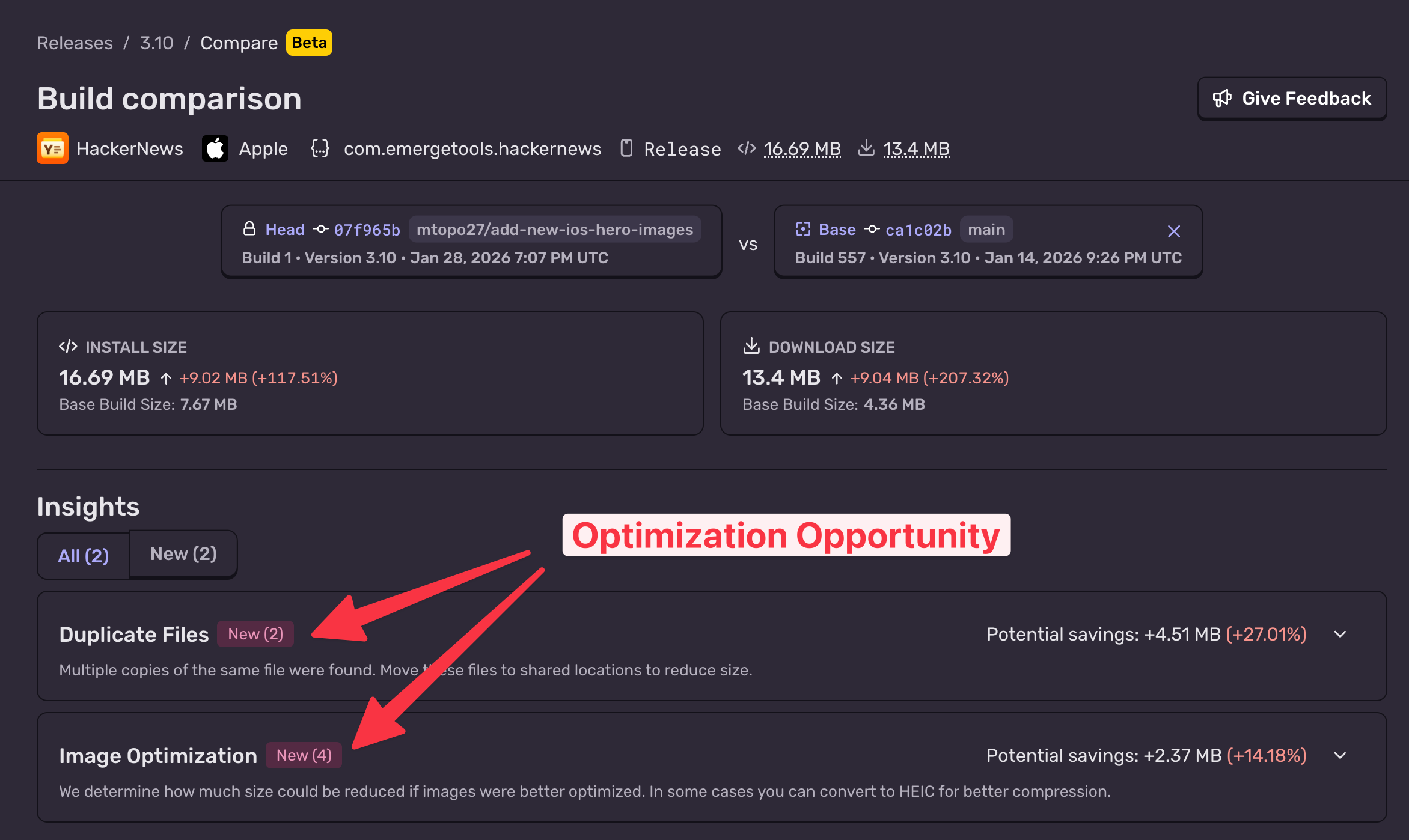
We again see the overall size difference, but this time we also see two Insights. Not only were the images we added not optimized, they’re also being duplicated. Clicking in, we can see the exact files that can be optimized + how much space that would save.
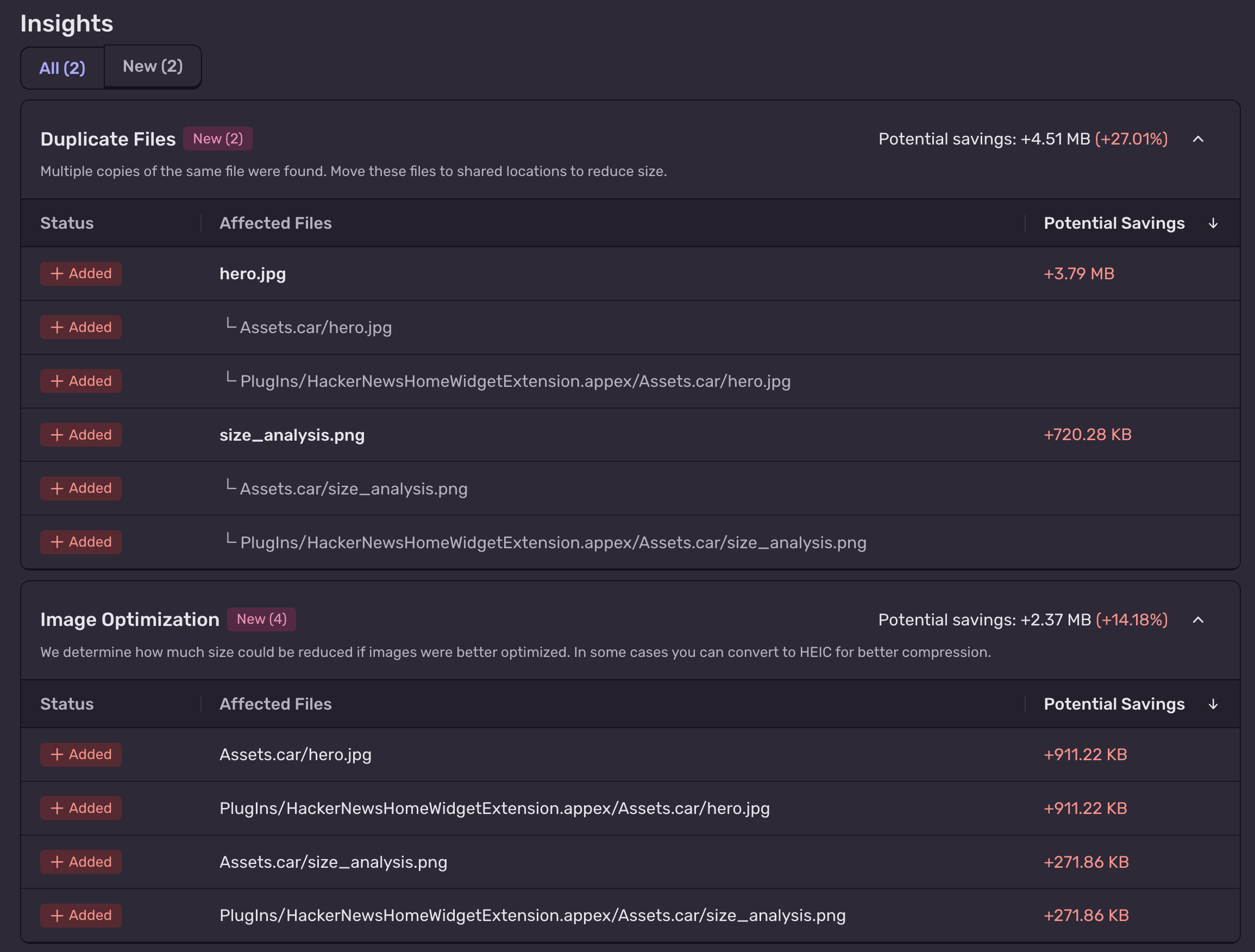
Instead of adding 9 MB to the app, we can make this PR closer to 3 MB. Now imagine this insight is on every PR. Rather than having to spend cycles retroactively addressing size issues, Size Analysis prevents them from ever happening in the first place.
Whether you want to upload every single build or upload once a week with your release builds, Size Analysis will bring visibility and actionable insights to your app’s size.
Reducing your app’s size
Automated monitoring is critical to make sure your app size doesn’t creep up, but in reality, your app might already need slimming down. For every build that you upload, Size Analysis will give you a detailed breakdown of where size is coming from + how you can reduce its size.
Here we have the CalAI app (analyzed from a public App Store build). CalAI has an install size of ~250 MB. Looking at the Size Analysis, we can see very quickly that a large chunk of the app size (30%) is from duplicating an asset.car file twice.
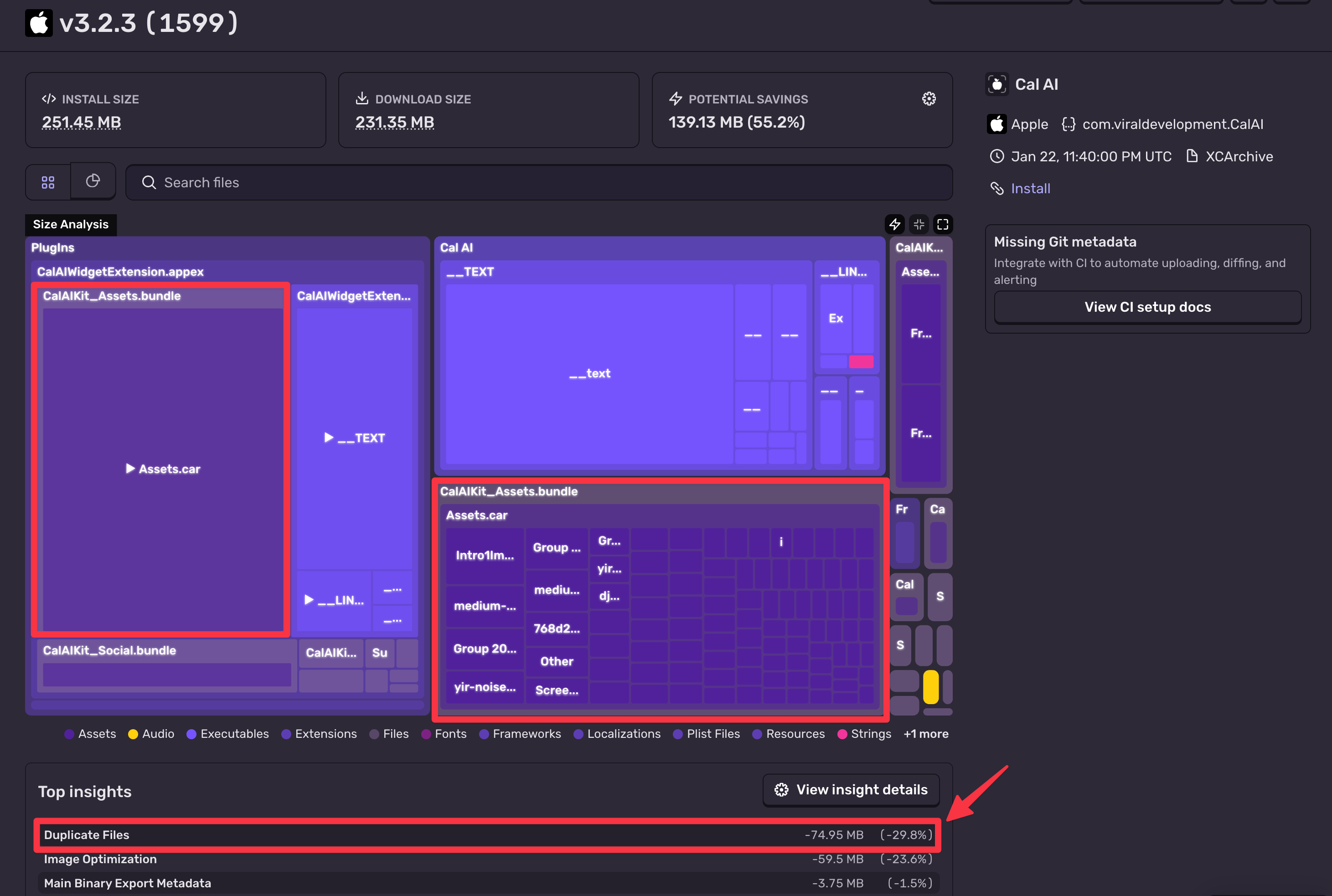
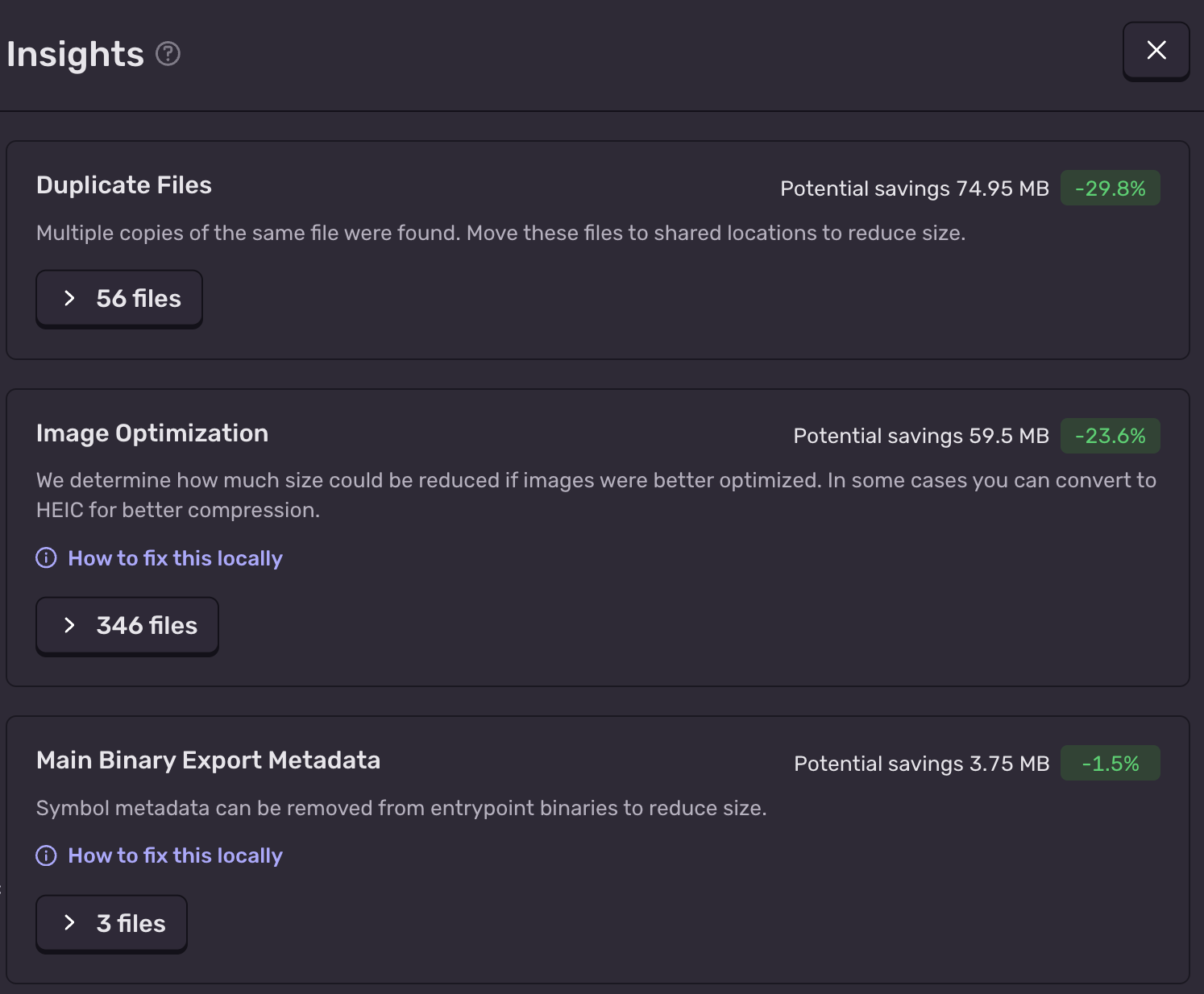
We can open the Insight details to see a list of all insights:
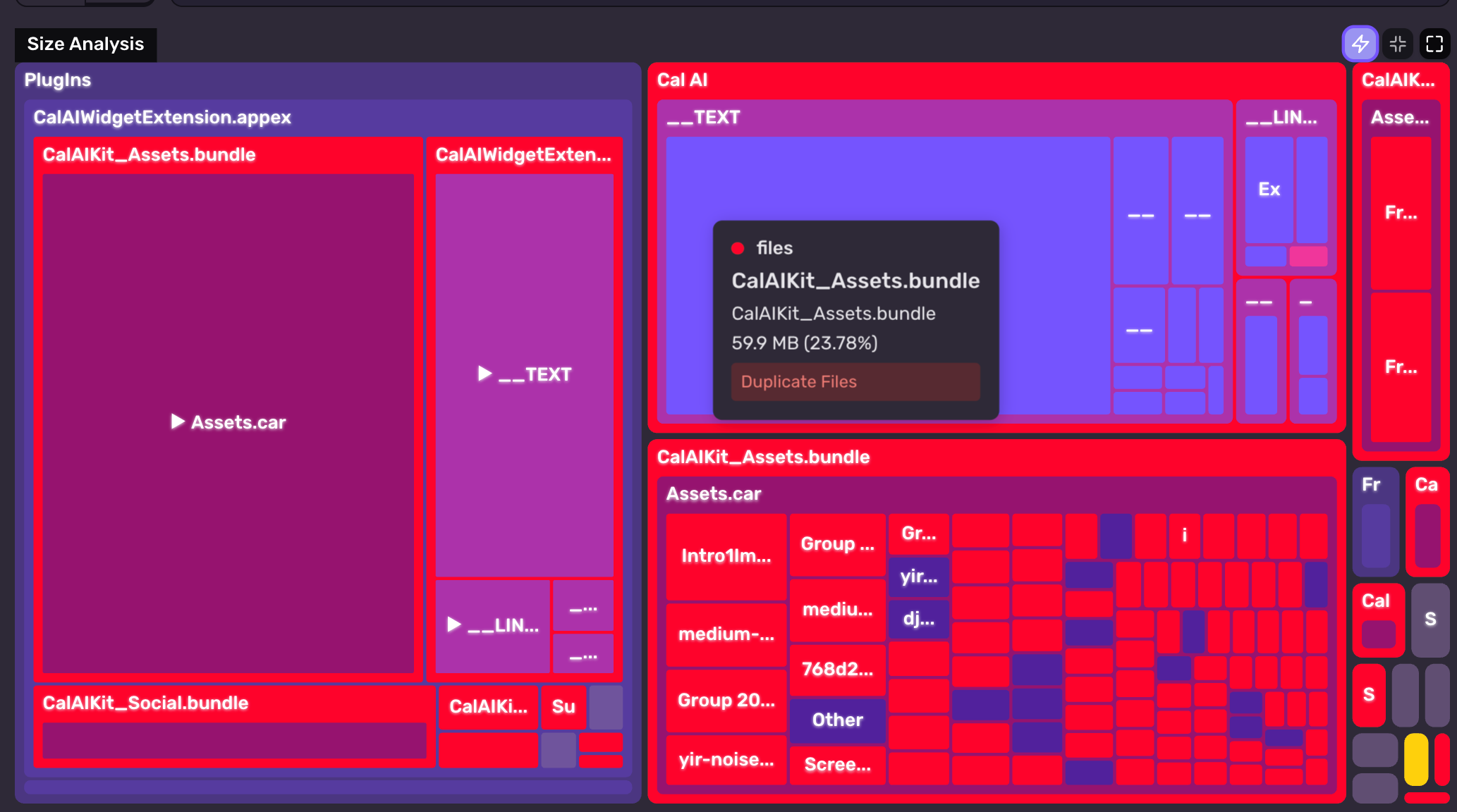
Or we can even highlight all Insights on the treemap itself and hover over nodes to see how their size can be reduced:
Looking at a build’s details is great for seeing easy size win opportunities, but it also helps you understand where size is coming from. Below is the Chess.com app (also analyzed from a public App Store build):
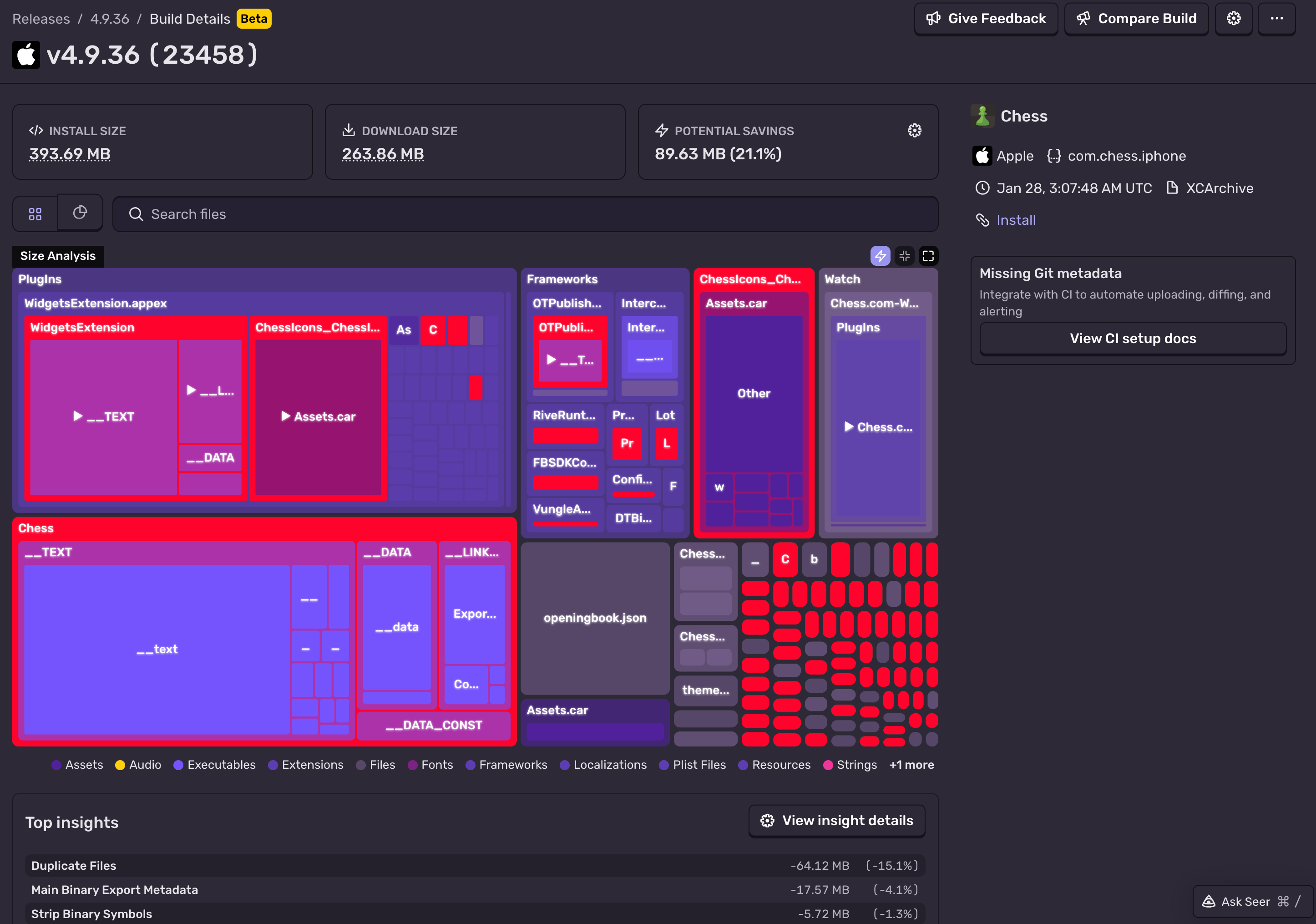
We see a number of Insights for duplicate files and unnecessary binary data, but we can also see a fairly large openingbook.json node.
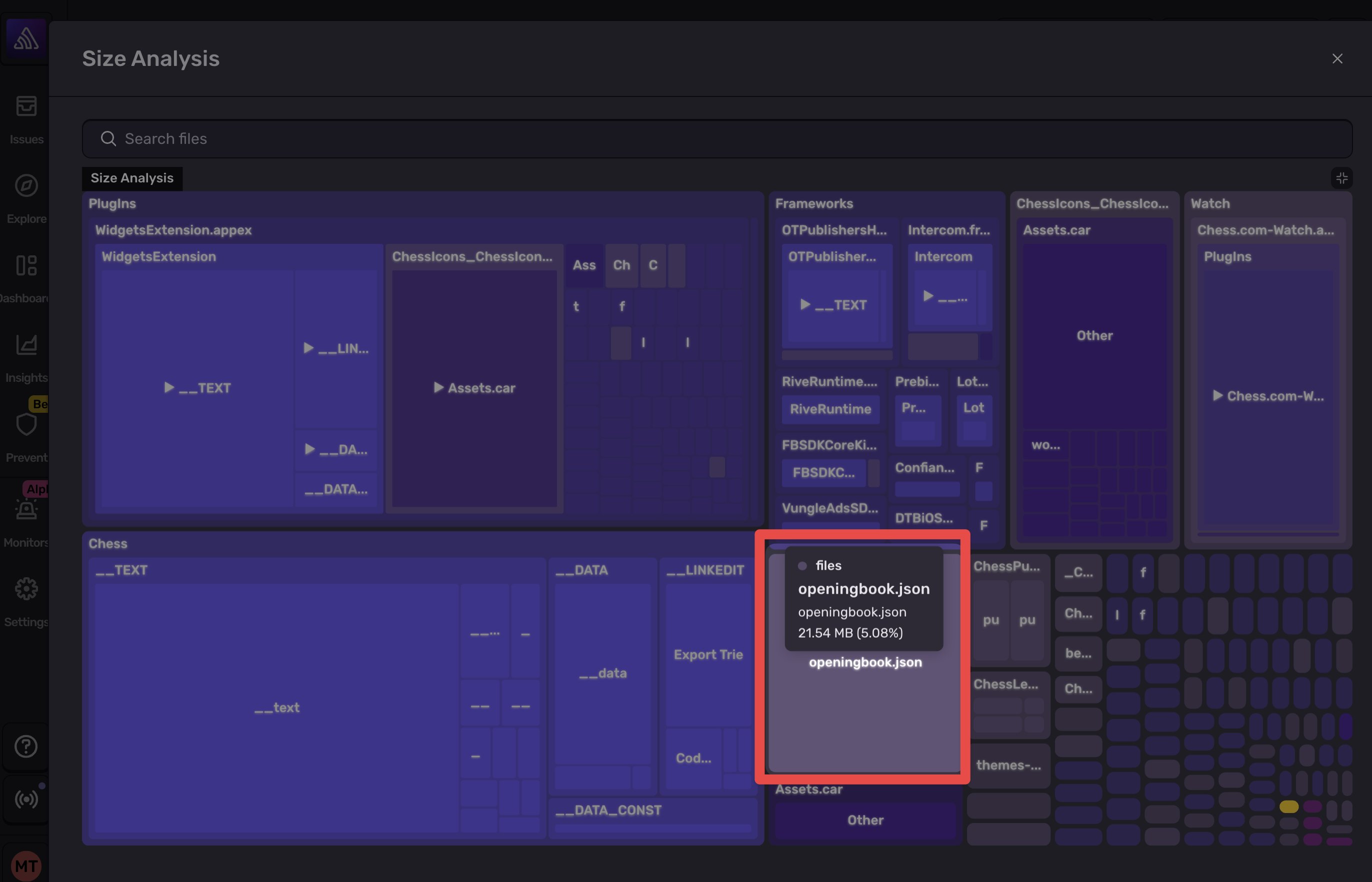
21 MB is a lot of JSON and something to be immediately suspicious of. Inspecting this file, we can see it’s actually a list of all the possible openings that Chess.com highlights (if you’ve ever played a game on Chess.com and seen the esoteric opening names, this is where it’s coming from).
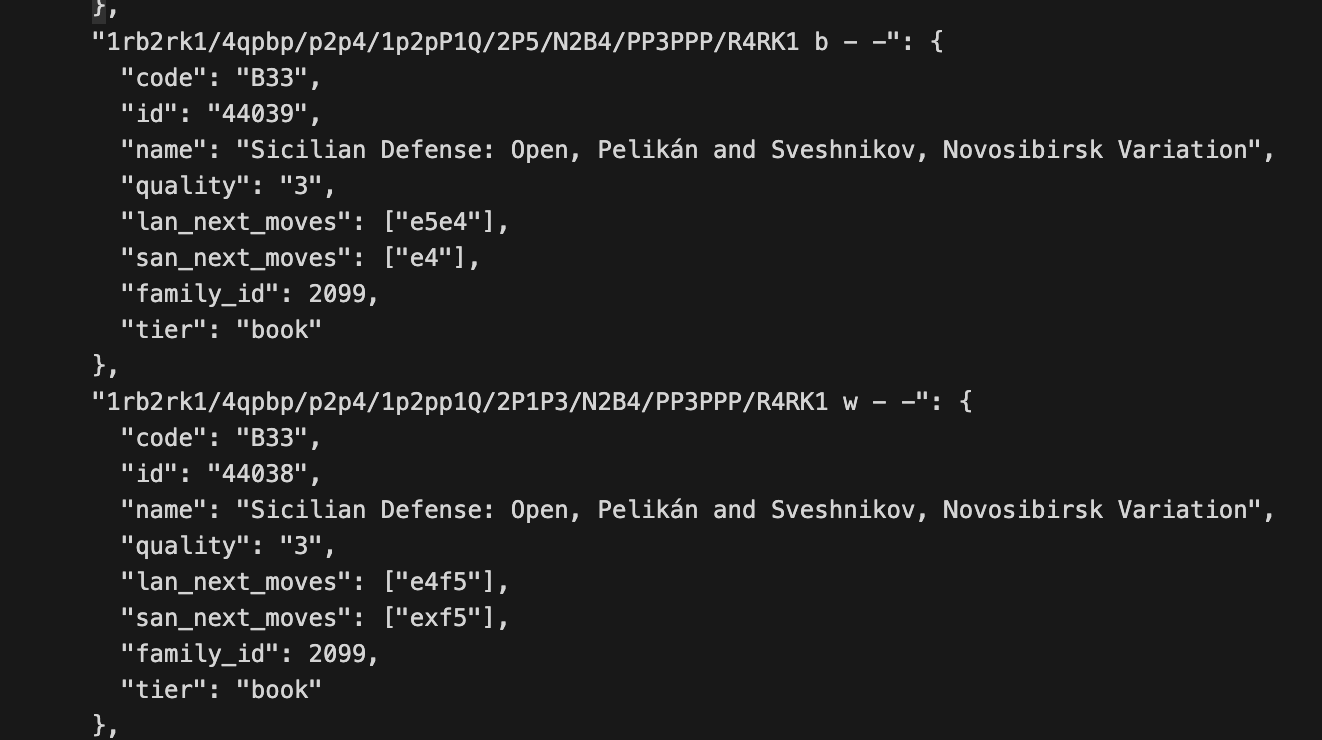
The problem here is that the JSON is not being minified, so a simple minification takes it from 21 MB → 13 MB. Size could further be reduced by making this a SQLite file or more aggressively optimize by de-duping keys, similar to what we described here with localization size.
Chess JSON rabbit-hole aside, the point is that Size Analysis makes it obvious where your size is coming from and how you can reduce it. Applying Size Analysis wins is as easy as:
Automate monitoring so no extra cruft gets in the app
Pick off size reduction opportunities as you have bandwidth (or soon just as Seer 😉)
Track over time
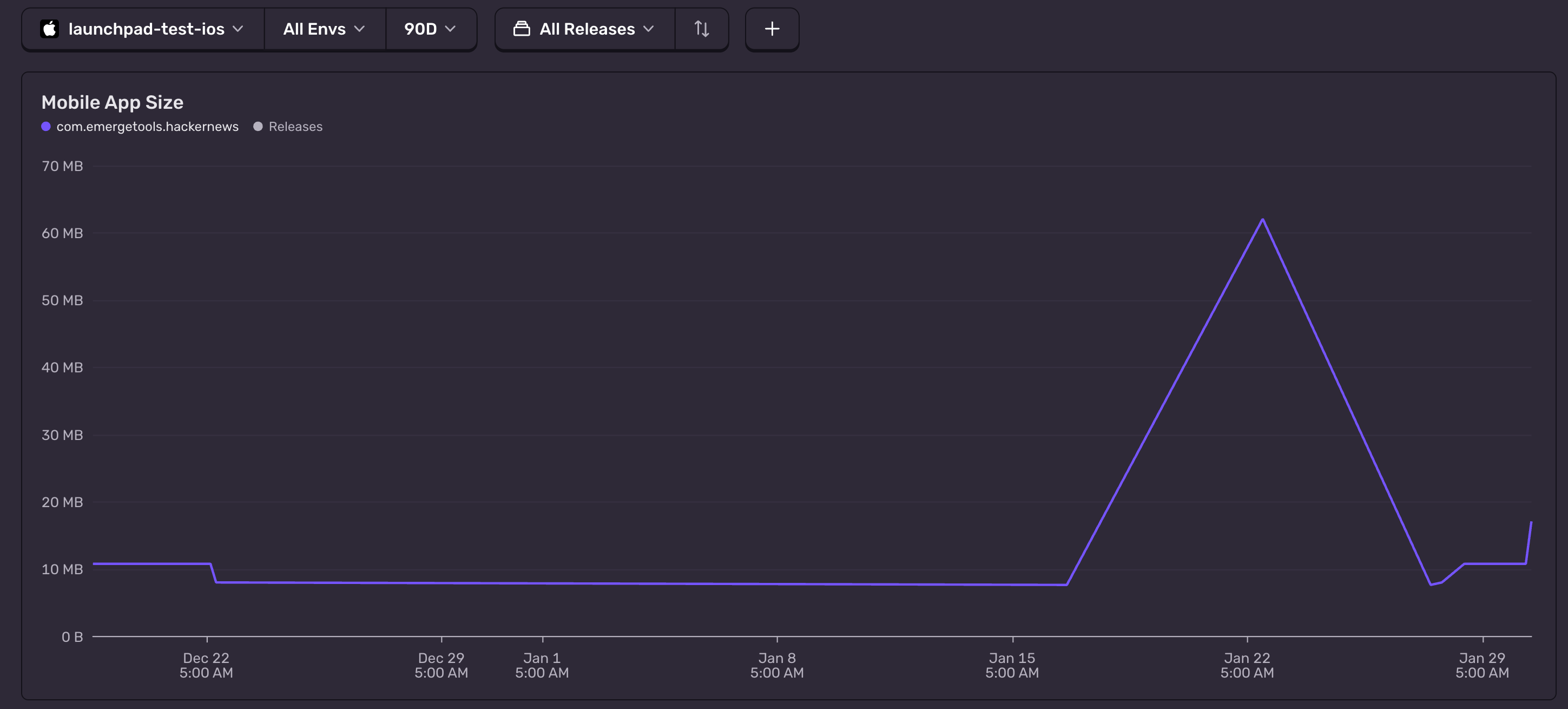
Getting started with Size Analysis
Every Sentry plan includes 100 build uploads per monthly billing period (higher upload volumes are available via our Enterprise plan). You can view uploaded builds on the Releases page under Mobile Builds, and optionally add automated size change notifications to PRs. For the exact setup steps, see the Size Analysis docs.
If you don’t have a Sentry account, start one for free.