When I was working at Shopify, major traffic moments were our Superbowl. We initiated code-freeze weeks before to make sure merchants wouldn’t have any unexpected issues during one of the most important times of the year. Sometimes, though, you need to ship updates last minute.
Picture this: It’s 11:47 PM on the day before your massive sale goes live. You’ve just deployed a new /sale page with 50+ products at discounted prices. Marketing is about to email 500,000 subscribers. Everything tested fine with your sample data.
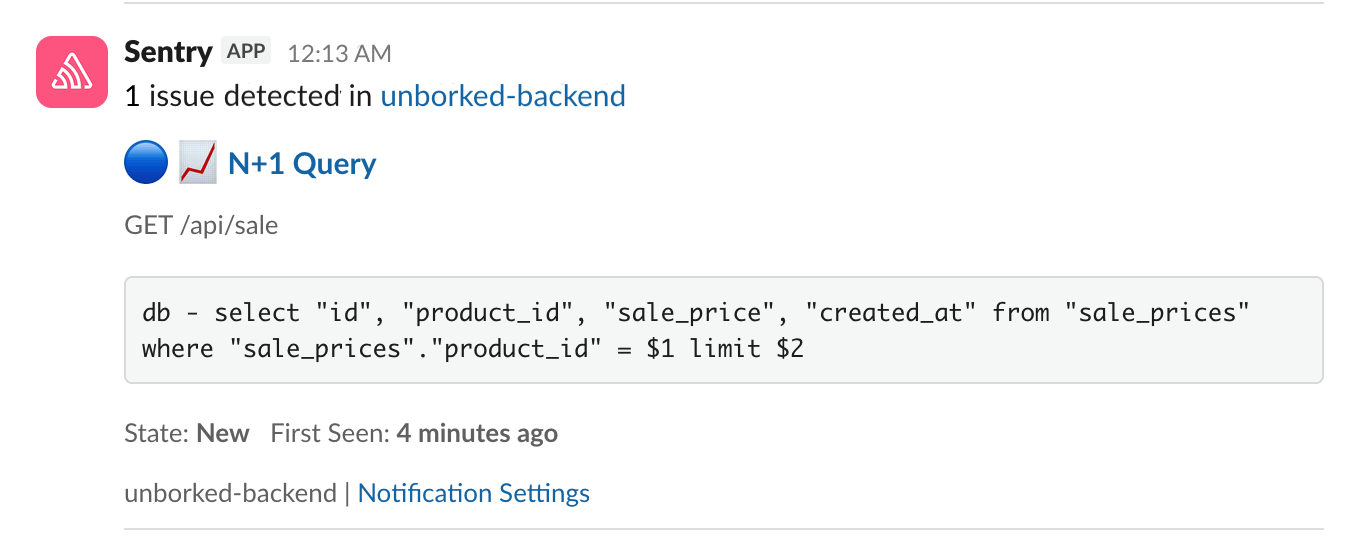
At 12:13 AM, you get your first Sentry alert.
The problem
Your /sale endpoint is averaging 4+ seconds per request. Users are experiencing timeouts. You need to fix it now.
Sentry catches the problem
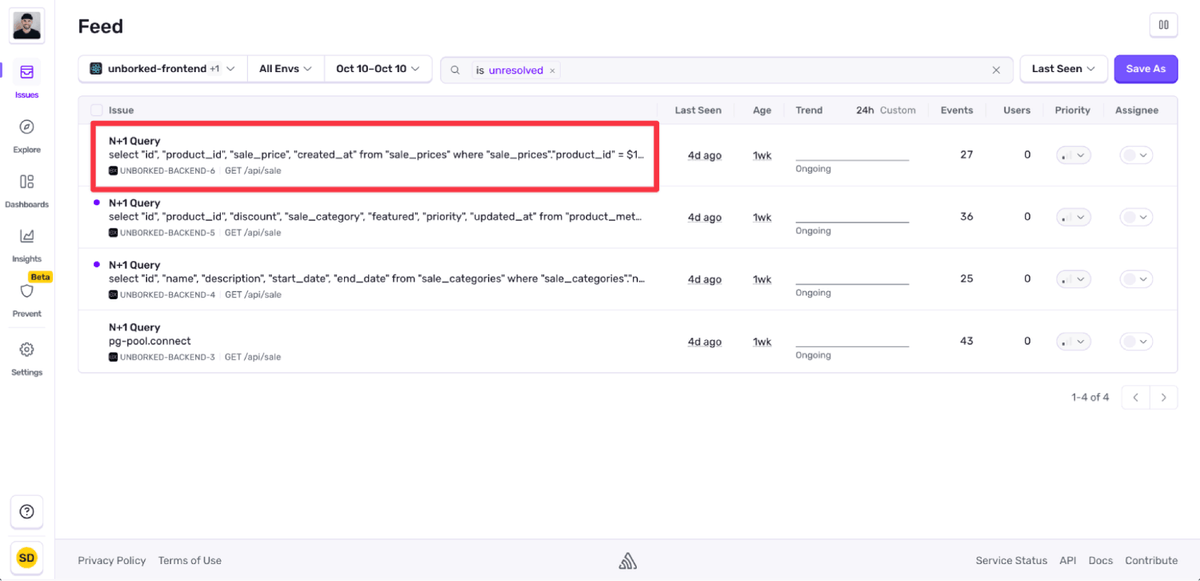
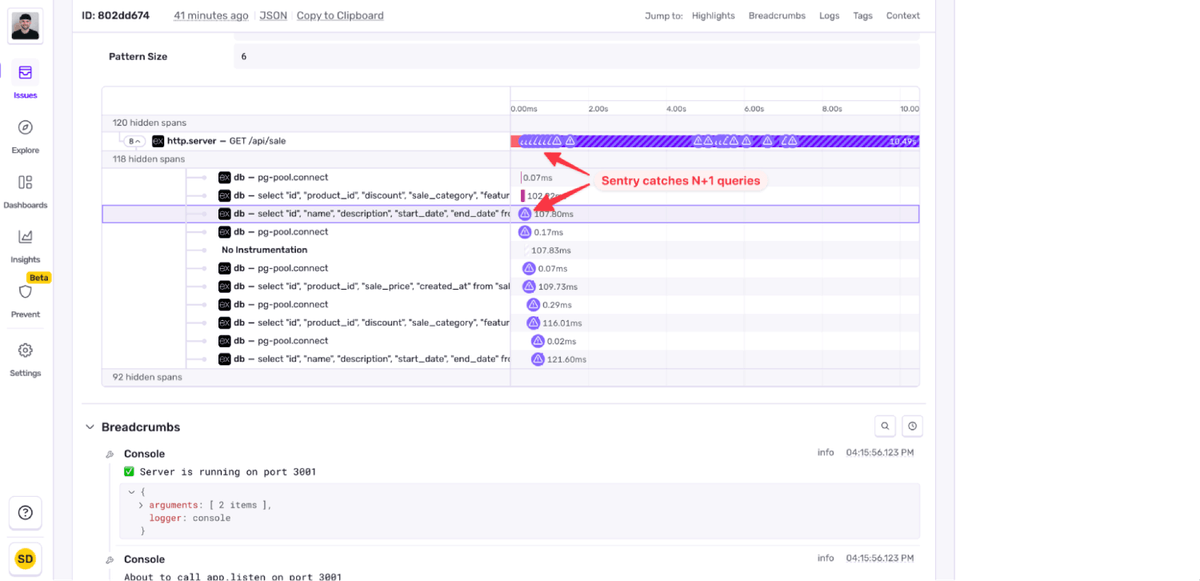
You open Sentry and see it’s already identified the issue: N+1 Query. Sentry automatically analyzed your transaction spans and found that your /api/sale endpoint is making 150+ sequential database queries per request.
The issue details show the characteristic pattern: one initial query to fetch all products, followed by repeated queries for each product’s sale price, metadata, and category information. Classic N+1.
You implemented it this way because it was straightforward: get all products, then loop through and fetch their sale data. It looked clean. It worked perfectly with 5 test products. But with 50 products on sale? That’s 151 queries per page load.
Using Seer
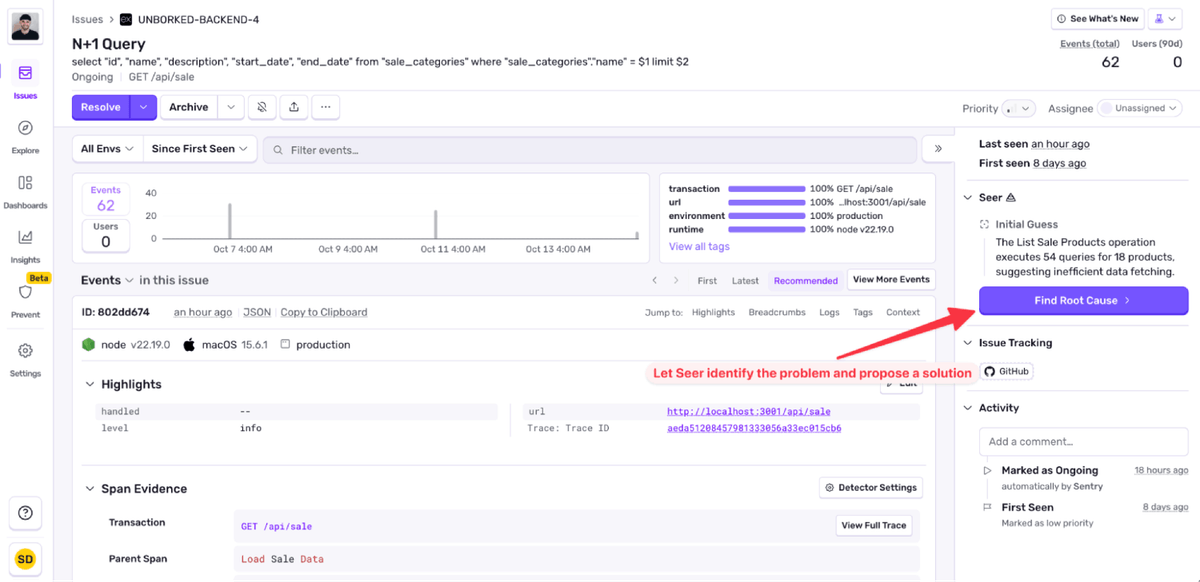
You open the issue in Sentry and click “Find Root Cause”
Seer analyzes the trace data and your codebase, then provides a root cause analysis:
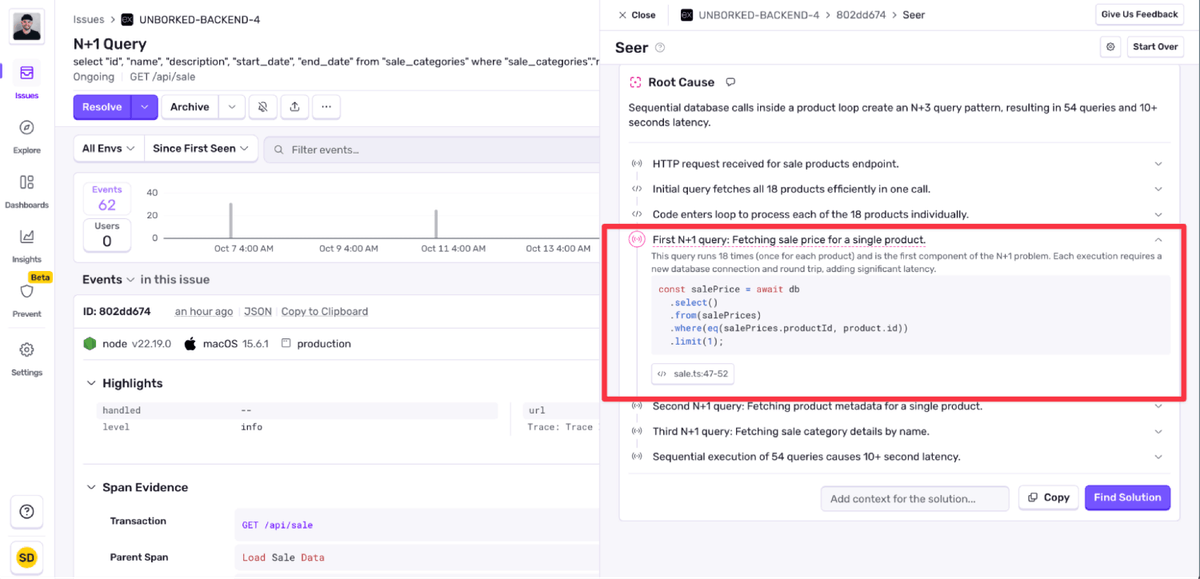
Sequential database calls inside a product loop create an N+3 query pattern, resulting in 54 queries and 10+ seconds latency.
Seer pinpoints the exact code:
for (const product of allProducts) { const salePrice = await db .select() .from(salePrices) .where(eq(salePrices.productId, product.id)) .limit(1); // ... more individual queries}
The fix
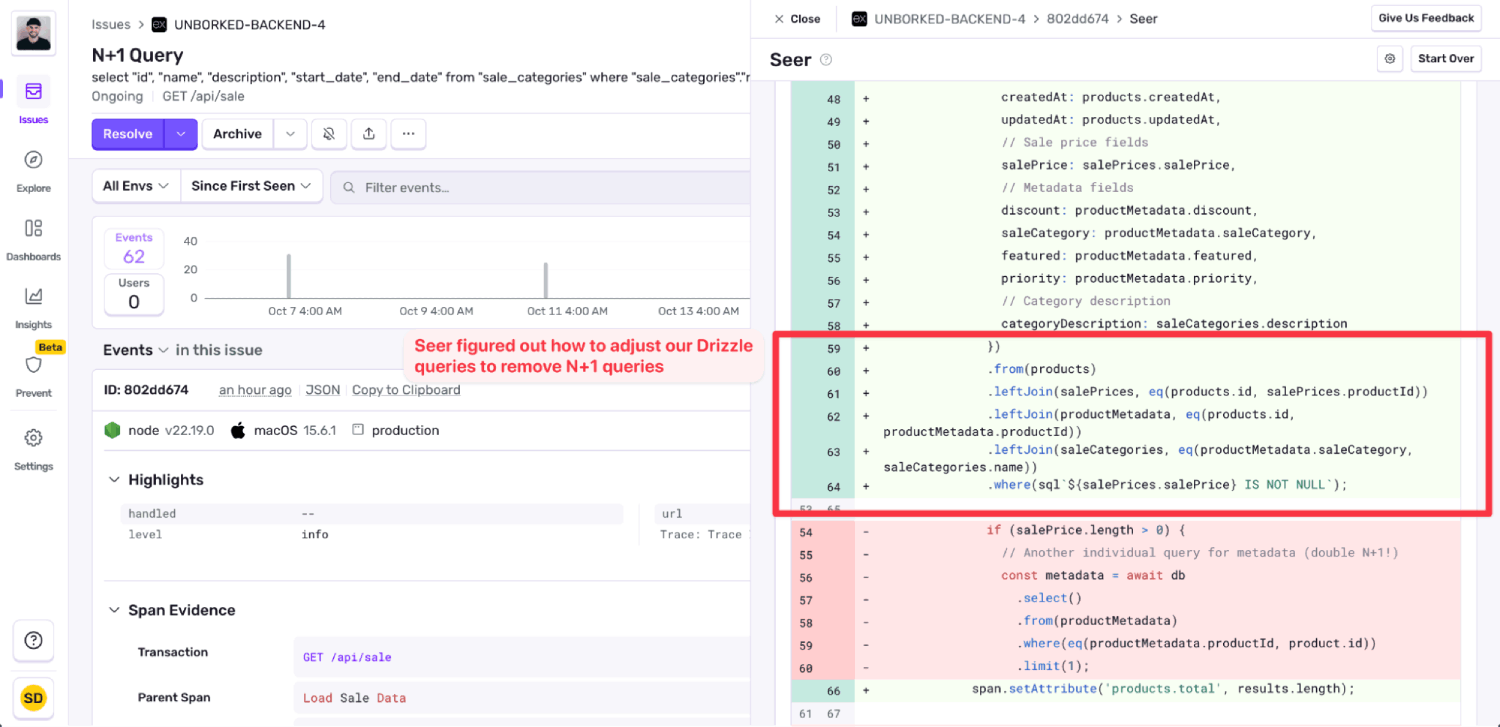
You ask Seer to generate a fix. It provides an optimized solution:
// Optimized version - single query with joinsconst saleProducts = await db .select({ ...products, salePrice: salePrices.salePrice, discount: productMetadata.discount, saleCategory: productMetadata.saleCategory, featured: productMetadata.featured, priority: productMetadata.priority, }) .from(products) .innerJoin(salePrices, eq(products.id, salePrices.productId)) .leftJoin(productMetadata, eq(products.id, productMetadata.productId)) .leftJoin(saleCategories, eq(productMetadata.saleCategory, saleCategories.name)) .orderBy(desc(productMetadata.priority));
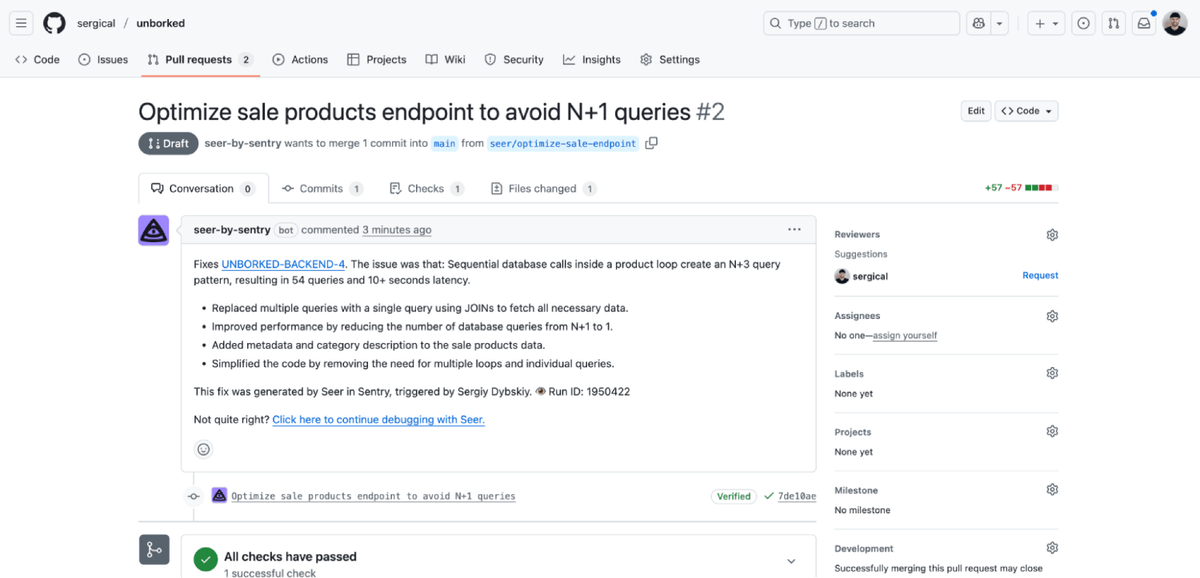
One query instead of 150. You approve the fix and Seer opens a pull request with the changes.
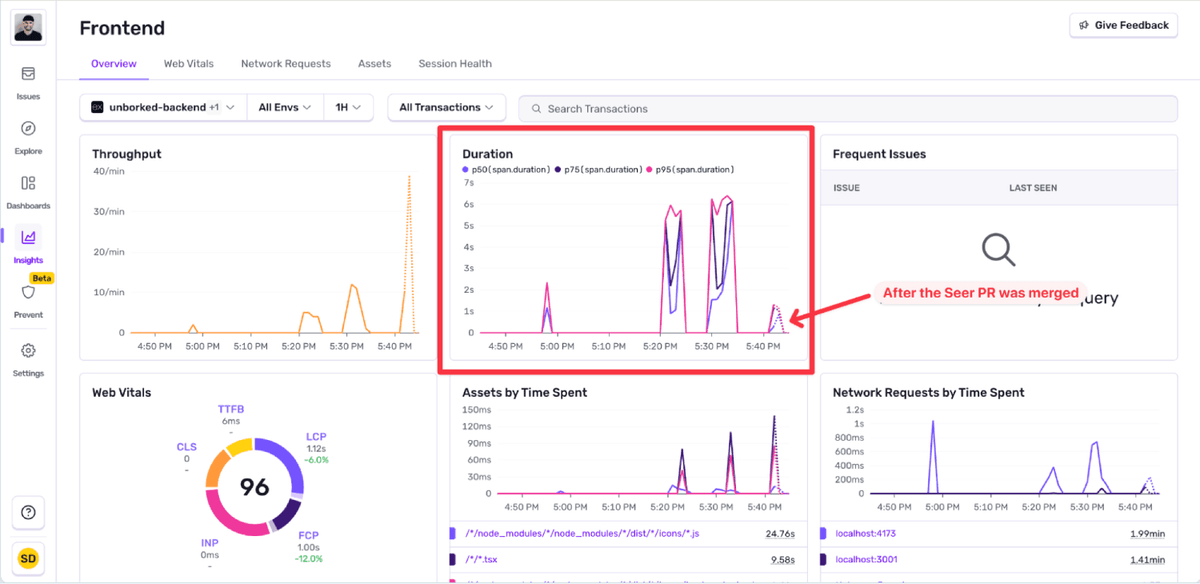
You merge and deploy. P95 response times drop from 7 seconds to just under 2 seconds with P50 scores going from 3 seconds to 275 milliseconds
The difference
The entire process from “something’s wrong” to “fix deployed” took 6 minutes:
Automatic Detection (0 minutes): Sentry identified the N+1 issue as soon as it happened
Root Cause Analysis (2 minutes): Seer analyzed the trace data and pinpointed the exact problem
PR and Deploy (3 minutes): Review, merge, and ship
Without Seer, you’d spend hours digging through traces and logs. And when user traffic is surging, every minute spent debugging is one your users spend waiting.
Seer didn’t just identify the problem, it explained the pattern, showed exactly where it was happening, provided production-ready code, and opened a PR.
Why it matters
During high-traffic moments or key launches, slow debugging is expensive. When users are experiencing issues, you need answers fast.
Seer provides those answers. It analyzes your performance data, explains issues clearly, and generates concrete solutions. It combines Sentry’s automatic issue detection with AI-powered root cause analysis and code generation.
The next time you hit a performance issue during a critical moment, Sentry will catch it and Seer can help you fix it.
See how Seer could fix your next N+1 issue before users notice. Learn more about Seer and get started with AI-powered debugging.
FAQs
What exactly is an N+1 query problem? ▾
An N+1 query problem happens when your code runs one “main” query (the 1) and then, usually inside a loop, fires off N additional queries for each item returned. In practice, that means your endpoint quietly turns a single request into dozens or hundreds of round-trips to the database. It works great with test data, and not so great with production traffic.
Do I need to configure anything special to detect N+1 issues? ▾
Nope. If you already have Sentry performance monitoring enabled, N+1 detection works out of the box. Seer can be added on top to analyze and fix these issues automatically.
What if the code Seer suggests doesn’t match my style or framework? ▾
Seer-generated fixes are suggestions, not forced patches. You can review, edit, or extend the code before merging. Developers usually treat Seer like an extremely fast, extremely awake coworker who doesn’t need coffee breaks.
Can Seer help with other issues besides N+1? ▾
Yes. Seer analyzes any issue that comes through Sentry — slow endpoints, latency spikes, inefficient loops, expensive API calls, server errors and more. The N+1 detection is one example of a broader pattern: Seer can help explain why your code is slow and what to do about it.
The OpenTelemetry instrumentation packages needed a Node module loader, a package.json file, and a mutable exports object. v11 replaces all of that with a source transform and diagnostics channels, so tracing now works on Cloudflare Workers, Bun, Deno, and bundled server deployments.
With Unreal Engine 5.8, your coding agent can drive the editor through Unreal MCP. The Sentry plugin adds tools and skills so it can set up Sentry, upload debug symbols, and root-cause crashes for you.
Should you use Seer or just connect the MCP to your agent? A breakdown of what Seer, the Sentry agent plugin, the CLI, and coding agent handoffs each do — and when to reach for one over the other.